%20scale(1.05)%20translate(-12,-14.25)'%3e%3cpath%20d='M12%2021s-7.5-4.7-7.5-10.2A4.3%204.3%200%200%201%2012%207.5a4.3%204.3%200%200%201%207.5%203.3C19.5%2016.3%2012%2021%2012%2021Z'%20fill='%23F0384A'%3e%3c/path%3e%3c/g%3e%3c/svg%3e)
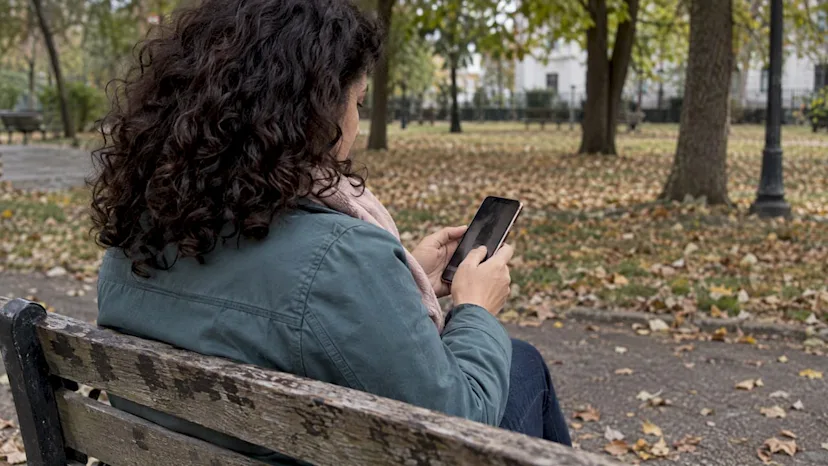
Yes, you can often find out where a photo has been used online. If your gut is telling you something feels off about your partner’s dating app photo, a quick reverse image search can give you real answers in minutes. Start with Google Lens or TinEye, save anything you find, and keep reading before you decide what it means. Search their photo now while the trail is still fresh.
TL;DR:
- Google Lens and TinEye find copies of an image, not the same person across different photos, so another selfie may produce no match.
- Treat stock photo listings, scam report pages, or one image tied to multiple names as serious warning signs, but verify context before drawing conclusions.
- Searchers should save screenshots, result URLs, and dates immediately, avoid public accusations, stop sharing personal details, and report suspected fake accounts to the app.
- When public searches return nothing, private app profiles may remain invisible; dedicated dating app searches can reach profiles that search engines cannot access.
- Searchers should crop identifying background details before uploading, check Google’s Visual Search History setting, and never submit intimate photos to reverse image tools.
What reverse image search tools actually show you
When you upload a photo, these tools look for the exact same image file, not a face that resembles it. That difference matters a lot when you’re trying to figure out if your partner is hiding something.
A match means the tool found that specific picture somewhere else online, sometimes cropped, filtered, or resized. It does not mean the tool recognized a face across two completely different photos. If your partner’s profile picture is a selfie nobody else has posted, you may get zero matches even though the photo is completely genuine. That’s normal, not suspicious on its own.
Here’s where matches tend to turn up:
- Old social media posts, including accounts your partner may have forgotten about
- Forums, classifieds, or review sites where random people repost pictures
- Stock photo websites, which almost always signal a fake or stolen image
- Scam-report pages where other people have already flagged the same photo
A single stock-photo hit is one of the strongest warning signs you can get, according to FTC consumer guidance, which recommends reverse-image checks specifically because scammers reuse stolen pictures. If the same face shows up tied to two or three different names, that’s not a coincidence and could indicate a romance crypto scam. That’s a pattern worth taking seriously.
Step-by-step: how to search a dating photo right now
You don’t need any technical skill to do this. Here’s exactly how to run the check on your phone or computer.
- Save the photo first. Screenshot or download your partner’s profile picture before you do anything else.
- On desktop, right-click the image and choose “Search with Google Lens,” or go to Google Images and upload the file or paste the image’s web address.
- Open TinEye at Tineye and paste the image’s address or upload it directly. TinEye matches the exact image file, including edited copies, rather than matching by filename.
- Use the TinEye browser extension if you search images often. It lets you right-click any picture on a page and search instantly.
- Sort TinEye’s results by newest, oldest, or best match to see where the picture first appeared and where it’s been reposted since.
- On mobile, crop the saved photo so it’s just the face, then open the Google app or Chrome and run Lens on it for a cleaner match.
- Screenshot every result page that comes back, and copy the URL underneath it.
- Write down the date and time you ran each search, next to the results you saved.
TinEye’s own blog explains that its search tool is built to trace where an image originated and spot modified versions of it, which is exactly what you need when you suspect a photo was lifted from somewhere else.
Pro Tip: Run the same photo through both Google Lens and TinEye. They index different parts of the web, so one might catch something the other misses.
Why public image searches can miss dating-app accounts
Here’s the part that frustrates a lot of worried partners: you run every search you can think of, and nothing comes back. That doesn’t mean the profile is innocent.
Dating apps often keep profile photos inside the app itself, away from the open web. Google’s own help pages note that image search results are limited to web pages that contain the image, not private app content that search engines can’t reach. If your partner’s dating profile photo was never posted anywhere public, a reverse image search has nothing to find, even if the profile is real and active right now.
There’s also a difference between matching an image file and recognizing a face. These tools find copies of the exact picture. They generally don’t connect a photo from one angle to a different photo of the same person taken somewhere else. So “no results” can mean three very different things:
- The photo really is original and has never been posted anywhere else online
- The photo only exists inside a dating app that search engines can’t crawl
- The match exists but uses a slightly different crop or filter the tool didn’t catch
If photos hit a dead end, other DIY checks can still help: searching the exact username across platforms, trying an email or phone number lookup if you have one, or looking closely at bio details and location tags for inconsistencies.
How to read the matches and spot real red flags
Not every match means your partner is lying. But some patterns deserve your full attention.
Red flags worth taking seriously:
- The same photo appears on a stock-photo website or marketing site
- The picture is tied to two or more different names across different profiles
- The image shows up on a scam-report page or forum warning about catfishing
- Details around the photo, like location or timestamp, don’t match what your partner told you
Things that aren’t proof by themselves:
- A similar-looking person who clearly isn’t the same individual
- A photo that’s been lightly cropped, filtered, or resized from the original
- A repost by a friend or family member with no deceptive intent
Pro Tip: One suspicious match is a reason to dig deeper, not a reason to confront. Gather everything first.
If you find something that worries you, screenshot it immediately, stop sharing any personal details with the profile in question, and avoid confronting anyone publicly before you have solid evidence. Report the account to the app itself if you believe it’s fake or being used to deceive someone.
Protecting your privacy while you search
Running these searches is safe, but it’s worth knowing what each tool does with your data before you upload anything personal.
Google can save a record of images you’ve searched if you have Visual Search History turned on while signed in. This setting is off by default, but it’s worth checking your account settings to confirm, especially if you’re searching sensitive photos tied to your relationship. You can review and delete this history at any time from the same settings page.
TinEye takes a different approach: the company states that it does not save or add images you search to its own index, and treats searches as private by design.
A few practical habits make this safer either way:
- Crop out any identifying background details before uploading a photo
- Use a private or incognito browser window for sensitive searches
- Never upload intimate or explicit photos to any reverse-image tool, regardless of its privacy policy
When DIY checks aren’t enough
Sometimes you do everything right and still come up empty. That usually means the profile lives somewhere a public search can’t reach, which is exactly when a deeper scan starts to make sense.
This is the right moment to escalate if any of the following apply:
- You’ve run multiple reverse-image searches with no results, but your gut still says something’s wrong
- You suspect a private, app-only account rather than a public social media profile
- You need timestamped evidence you can actually point to, not just a feeling
A real partner check should hand you photo-verified matches across the dating apps that matter, with timestamps attached, in a report you control from start to finish. That’s the gap a public search engine simply isn’t built to close. Check their profile today if you’ve hit that wall.
Common tricks people use to fake a dating photo
Fake and misleading dating profiles tend to lean on a handful of tricks, over and over.
Stolen photos from someone else’s social media are the most common. The person running the fake profile grabs a stranger’s picture, sometimes a model, sometimes just someone with a public Instagram, and uses it as their own. Old photos are another favorite: a profile might show someone 10 or 15 years younger than they currently look, which is technically their own face but a deliberately misleading version of it.
Group photos cropped down to just one person can also hide who’s really in the picture, since you lose context about who the other people were. Heavily filtered or edited photos smooth out features so much that the real person looks noticeably different in a video call or in person. And some profiles mix in a few real personal photos with one or two stolen ones to make the whole set look more convincing.

None of these tricks are foolproof against a careful reverse image search, which is exactly why running one matters before you invest more trust in a profile.
How an anonymous scan protects your privacy
If you decide to go beyond a public search, privacy should still come first. A discreet scan works by taking the small amount of information you provide, like a name or photo, and checking it against dating profiles without ever notifying the person you’re checking on.
Encryption matters here because it keeps your search and the resulting report locked down so only you can see it. Nobody else, including the person being checked, gets any signal that a search happened. That’s different from confronting someone directly or asking mutual friends to look, both of which risk tipping them off before you have real answers.
An anonymous process also protects you. If it turns out there’s nothing to find, you haven’t damaged trust by accusing your partner based on a guess. If there is something to find, you have a documented report instead of a vague suspicion you can’t back up.
Free versus paid tools: what each one can actually do
Free reverse image tools like Google Lens and TinEye are genuinely useful for a first check, and they cost nothing to try. But they have real limits worth knowing before you rely on them completely.
They only search what’s publicly indexed on the open web. If a photo lives exclusively inside a dating app’s private database, these free tools simply can’t see it, no matter how many times you search. They also match image files, not faces, so a photo taken from a slightly different angle than the one that leaked online won’t necessarily connect back.
Paid, dedicated services take a different approach by searching across multiple dating apps directly rather than relying on what happens to be crawled by a search engine. They’re built specifically for this situation, checking app profiles that a general reverse-image search was never designed to reach.
For a quick gut-check, free tools are the right first move. For a real answer about whether someone is active on dating apps right now, a dedicated search goes further.
How AI-assisted tools expand what a photo search can find
Basic reverse image search finds exact copies of a photo. AI-assisted photo matching does something different: it compares facial features across photos that aren’t identical, which means it can sometimes connect a profile picture to other pictures of the same person even when the images themselves don’t match pixel for pixel.
This matters a lot for dating profile checks specifically, because people rarely use the exact same photo everywhere. Your partner’s dating app photo might be a different picture entirely from anything that’s ever been posted publicly, which is exactly the scenario where a plain file-match search comes up empty.
Confidence scoring is another piece of this. Instead of a flat yes-or-no answer, a well-built tool can show you how strong a match is, so you’re not left guessing whether two photos really show the same person. That distinction between a loose resemblance and a confirmed match is the difference between a real lead and a false alarm.
Checking authenticity beyond just the photo
A photo search is a strong first step, but it shouldn’t be the only thing you check. A profile can pass a photo check and still be hiding something.
Look at how the bio reads. Vague, generic descriptions that could apply to almost anyone are a soft warning sign. Check whether the profile has any activity history, like reviews, mutual friends, or linked social accounts, since a brand-new profile with zero footprint deserves more scrutiny. Pay attention to inconsistencies between what someone tells you directly and what their profile says, including location, age, or job details that shift over time.
A video call early on is one of the simplest ways to confirm someone looks and sounds like their photos in real time. If a person resists every suggestion to video chat while continuing to message constantly, that pattern lines up with tactics the FTC describes in its warnings about romance scams, where building trust slowly comes before any request for money.
What I’ve seen: common cases and honest mistakes
Most of the matches people find turn out to be harmless. Somebody’s cousin reposted the photo years ago, or the picture is just old. But every so often, a photo traces back to a modeling site or shows up tied to three different names, and that’s the moment a worried partner usually calls me asking what to do next.
The biggest mistake I see is confronting a partner with a single screenshot and no context. It rarely goes well, and it often gives the other person time to delete evidence before you’ve documented anything.
Keep your search quiet and keep your focus on getting clear answers, not on getting even. That approach protects you either way, whether you end up relieved or heartbroken.
— Matt
Get a discreet answer with CheaterDetectorAI
When a reverse image search leaves you with more questions than answers, our Reverse-image dating search checks that photo against major dating apps directly, not just the open web. We built our Partner Check and Deep Person Scan to work anonymously: no notifications sent, no account access needed, just an encrypted report with photo-verified matches and timestamps you control.
Run an anonymous scan now through CheaterDetectorAI and get the clarity you’ve been searching for.
FAQ
How do I search if my partner is on a dating app?
Start by running their profile photo through Google Lens or TinEye to check for public matches, then try a direct app search using their name or phone number if the app allows it. For private, app-only accounts that don’t show up in a public search, a dedicated partner check scans across major dating apps directly.
How do I find hidden dating profiles?
Hidden or private profiles usually don’t appear in a standard web or reverse-image search because dating apps keep that content off the open internet. A service built to scan inside dating apps directly, rather than the public web, is generally the only way to surface a profile that’s deliberately kept private.
Can ChatGPT find a person by photo?
General AI chat tools aren’t built or permitted to identify a specific person from a photo, so they can’t search dating apps or the web for a match. A dedicated reverse-image search tool like TinEye or Google Lens, or a dating-app-specific search, is the right tool for that job.
Can I find someone online with just a photo?
You can often find where a photo has been posted publicly using a free reverse image search on Google Lens or TinEye, which checks the exact image file against pages it can access. If the photo only exists inside a private dating app, a public search won’t find it, and a dedicated app search is the next step.
Sources
- TinEye Reverse Image Search
- FTC consumer guidance on scams
- How to use TinEye to search for an image – TinEye Blog