%20scale(1.05)%20translate(-12,-14.25)'%3e%3cpath%20d='M12%2021s-7.5-4.7-7.5-10.2A4.3%204.3%200%200%201%2012%207.5a4.3%204.3%200%200%201%207.5%203.3C19.5%2016.3%2012%2021%2012%2021Z'%20fill='%23F0384A'%3e%3c/path%3e%3c/g%3e%3c/svg%3e)

Yes, you can find someone’s Hinge profile, but not by typing their name into a search bar. Hinge doesn’t work that way, and it never will. Your fastest move is a reverse photo search or a trusted scan service like Cheater Detector AI that checks public profiles for you. Never use spyware or sneak into their phone; that only makes things worse.
TL;DR:
- Searching directly by name on Hinge is impossible; external methods like reverse photo searches or public profile scans are the most effective.
- Narrowing search filters and setting precise location and activity parameters can increase the chances of finding a specific person on Hinge, but success is not guaranteed.
- Reverse image searches can help identify linked social profiles or other accounts when using clear, recent photos, with multiple search engines improving accuracy.
- Public data lookups can confirm identity details such as name and location but do not prove specific Hinge account existence without further cross-checks.
- Installing spyware or accessing someone else’s accounts without permission can seriously backfire and wreck trust, so stick to publicly available information.
Quick Checklist: The Realistic Ways to Find or Confirm a Hinge Profile
You’re not stuck. There are real ways to check if your partner has a Hinge profile, and none of them require breaking into anything. Some take five minutes. Some take a day. Here’s what actually works, ranked by how fast you’ll get an answer.
- Hinge filters and Discover tricks: Free, takes some time and has a moderate chance of success. You’re narrowing the app’s suggestions, not searching directly, so it only works if the app decides to show you that person.
- Reverse image search: Free, takes 10 to 15 minutes, works well if you have a clear, recent photo. This is often your best first move.
- People-search lookups (name, phone, email): Usually costs a small fee, takes minutes to an hour, gives you identity clues rather than direct proof of a Hinge account.
- Username and social cross-checks: Free, takes 20 to 40 minutes, works if your partner reuses the same handle across apps.
- Paid profile-scan services: Costs money, takes minutes to hours, gives you the most complete answer with the least effort and the least risk to your own privacy.
What you should never do: never install spyware, never read their texts without permission, and never access their phone or accounts without their consent. Those actions aren’t just wrong. They’re crimes in most states, and they can turn you from the person asking questions into the defendant.
Use Hinge Itself: Filters, Discover, and Dealbreaker Tactics That Sometimes Surface a Specific Person
Hinge doesn’t let you type in a name and pull up a profile. There’s no search bar for people. The app only shows you a feed called Discover, built from your preferences and filters, not from a direct lookup of anyone specific, according to Hinge’s own help documentation.
That doesn’t mean you’re helpless. You can shrink the pool of people Discover shows you until it’s small enough that a specific person might show up. Some people call this “filter sniping,” and it works better than most folks expect.
Here’s how to try it:
- Open your filters and set the age range as tight as possible, ideally a narrow age range around your partner’s approximate age.
- Set height filters if you know their height, since this narrows the pool further.
- Move your location pin to the neighborhood or workplace area where your partner spends the most time.
- Shrink the distance radius to the smallest setting the app allows.
- Toggle on “Dealbreaker” for any filter you’re using, so Hinge excludes everyone who doesn’t match.
- Check the “Active Today” filter during hours your partner is usually free, since it surfaces only recently active profiles.
Hinge+ subscribers get extra control over location settings, which can help if your partner travels or splits time between two areas.
Pro Tip: Run your filter search at different times of day. Someone who’s dormant at 9 AM might show up active at 9 PM, and Discover’s suggestions shift depending on who’s online right then.
This method fails plenty of times, and you should know that going in. Dormant accounts don’t show up. People just outside your filter range slip through. And Discover mixes in randomized suggestions, so even a perfect filter setup won’t guarantee you’ll see the one profile you’re looking for. Think of it as a lottery ticket, not a guarantee. If you want a method that doesn’t depend on luck, a Hinge profile search built around public data tends to get further than filter guessing alone.
Reverse Image Search and Photo Matching: How to Use Images to Find Hinge Profiles or Linked Accounts
A clear, forward-facing photo is your strongest tool here. Group shots, blurry pictures, or old photos from years ago won’t match well. If you have a recent solo photo, saved from a shared album, a social post, or an old text, you’re in good shape.
Here’s the step-by-step:
- Save the photo to your device, cropping out anyone else in the frame.
- Go to Google Images, click the camera icon, and upload the photo.
- Repeat the same upload on Bing Visual Search, since it often catches matches Google misses.
- Try TinEye as a third pass, especially if the first two searches come up empty.
- Scroll past stock photo matches and look for links to personal social accounts, forums, or profile pages.
Reading the results takes a little patience. A match to a direct dating profile is rare and obvious when it happens. More often, you’ll land on a social media post, which then gives you a username or full name you can search elsewhere. That’s still progress. It’s a breadcrumb, not a dead end.
Pro Tip: If the reverse search turns up nothing, try a slightly different photo of the same person, taken at a different angle or in different lighting. Matching software can be picky, and one photo failing doesn’t mean the method failed.
Keep this search private. Don’t repost the photo anywhere public, and don’t share what you find with mutual friends before you’re sure. You’re gathering information for yourself, not building a public case. Save screenshots privately, note the date and time, and move on to your next step calmly. Photo-based cross-platform matching is genuinely the most reliable way to find dating activity that a platform like Hinge deliberately keeps hidden from name-based search, and the Federal Trade Commission’s own findings on facial-data use show why companies handle this kind of matching carefully. For a more guided version of this process, a reverse image dating search tool does the same legwork automatically.
People-Search Lookups: Phone, Email, and Public-Record Strategies That Reveal Identity Anchors
A reverse phone or email lookup won’t hand you a Hinge profile directly. What it gives you is smaller but still useful: a full name, a city, an age range, sometimes linked social accounts tied to that number or address.
Here’s what these lookups typically return and how to use the pieces:
- A confirmed full name, which you can then run through Hinge’s Discover filters alongside age and location.
- Linked social media handles, giving you a username to cross-check on Instagram or other platforms.
- A general location history, which helps you narrow the distance radius in your Hinge filter setup.
- Age confirmation, useful for tightening your Discover age filter to the exact range.
Combine a confirmed name, city, and age, and you’ve built what investigators call triangulation. Each piece alone proves little. Together, they narrow down who you’re looking for fast.
Be realistic about the limits. A people-search service can confirm someone’s identity details. It cannot confirm whether that person has a Hinge account, and it definitely can’t show you their profile photos or activity. If your goal is proof of a dating profile specifically, a phone lookup alone won’t get you there.
That’s the point where DIY methods start hitting a wall. If you’ve already got a name, city, and rough age, and you still can’t find the actual profile, paying for a dedicated scan usually saves hours of guesswork. It’s the difference between having puzzle pieces and having the finished picture.
Username and Social Cross-Checks: Searching Consistent Handles to Link a Public Identity to a Dating Profile
People are lazy with usernames, and that works in your favor. Most people reuse the same handle, or close variations of it, across Instagram, TikTok, Twitter, and dating apps. If you know one username, you often know several.
Start with what you already have. If your partner’s Instagram handle is something like “jmartinez_22,” try searching Hinge-adjacent mentions of that exact string, plus common variations: dropped numbers, added underscores, or a slightly different spelling.
A few practical moves:
- Search the exact username in quotation marks on a search engine to catch exact matches, not loose guesses.
- Check if the same profile photo appears next to that username on other platforms, which strengthens the connection.
- Look at who they follow or interact with publicly, since dating-adjacent accounts sometimes get followed by friends who also use the same apps.
- Note any bio details, like a job title or city, that match what you already know.
A single username match isn’t proof by itself. Public social data linked to dating profiles tends to be strongest when the handle, the photo, and a personal detail all line up together, not just one of the three.
Once you find something worth checking further, write it down. Screenshot the profile, note the date, and keep it somewhere private. Don’t confront anyone yet. You’re still building a picture, not making an accusation.
How to Verify a Candidate Profile: A Short Cross-Check Checklist You Can Follow
Finding a profile that looks like your partner isn’t the same as confirming it. This is where a lot of people jump to conclusions too fast, and it costs them credibility later. Slow down and check it properly.
Follow these steps in order:
- Compare every photo on the profile against photos you know are genuinely your partner’s, checking for consistent tattoos, scars, or background details.
- Read the written prompts and compare the tone and phrasing to how your partner actually talks or writes.
- Check listed job title, school, or employer against what you already know to be true.
- Look for mutual friends or shared connections that show up in the profile’s social linkages.
- Check activity indicators, if visible, for recent logins or updates that align with times your partner claimed to be busy or unavailable.
- Document everything privately with screenshots and dates, but don’t post or share it anywhere public.
Hinge profiles combine photos, written prompts, and small personal details, and matching several of these small signals raises your confidence a lot more than matching just one, according to dating app usage research.
Pro Tip: One matching photo isn’t proof. A shared first name isn’t proof. You need at least three independent details lining up, photos, prompts, and a personal fact like a job or city, before you should treat a match as solid.
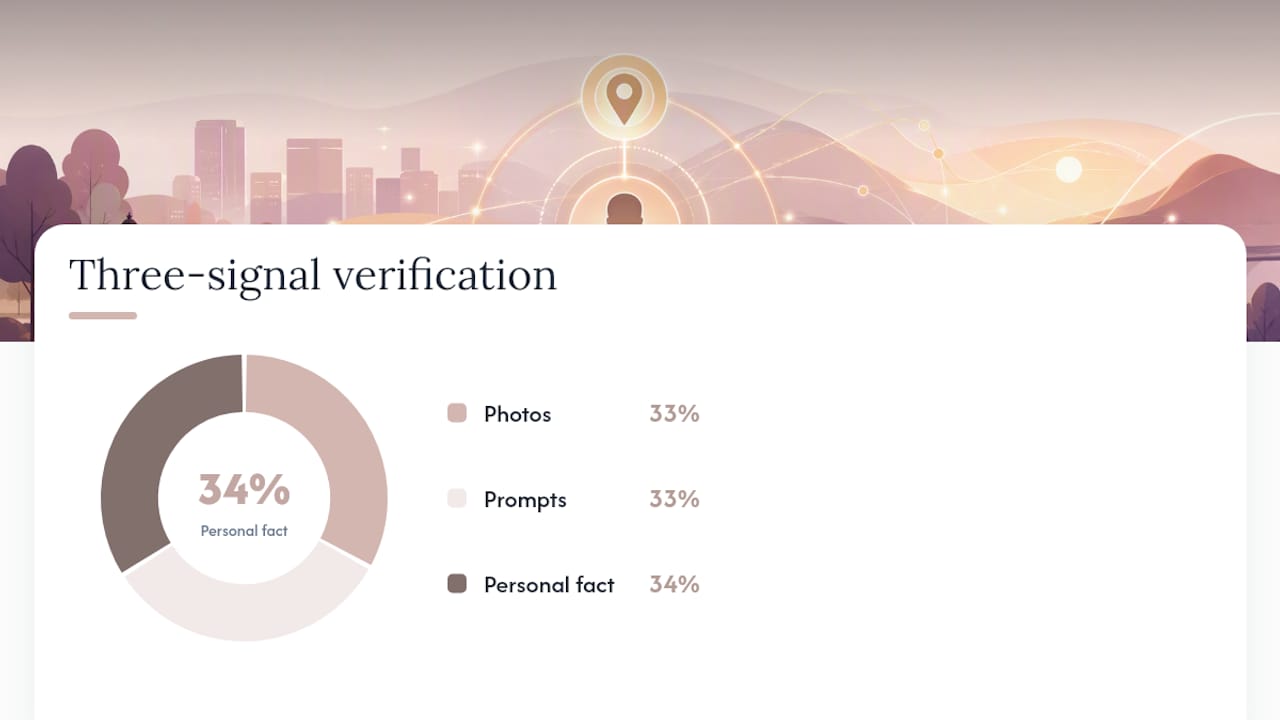
If you’ve hit two or three signals but can’t get the last confirmation, or if the whole process feels too slow and too stressful to do alone, that’s the moment to stop guessing and get a full scan instead. Trying to force certainty out of partial evidence usually just adds stress without adding clarity.
Red Lines: What Not to Do, What It Can Cost You, and Safer Alternatives
Here’s the part you need to hear clearly: installing spyware on your partner’s phone, reading their messages without permission, or accessing their accounts without consent isn’t a gray area. It’s illegal.
Accessing someone’s phone, accounts, or private communications without their consent violates federal and state unauthorized-access statutes, whatever your reason for doing it.
That warning comes straight from the Bureau of Justice Assistance’s guidance on unauthorized access statutes, and it applies even if you’re convinced you’re right about the cheating. Your motive doesn’t change that: accessing someone else’s private data without permission is a crime.
What counts here isn’t limited to phone spyware. It also includes:
- Guessing or resetting your partner’s password to log into their accounts.
- Installing any tracking app on a device you don’t personally own.
- Reading texts, emails, or DMs on a device that isn’t yours without permission.
The consequences range from misdemeanor charges to felony charges depending on your state, plus the very real possibility of a civil lawsuit from your partner. That’s a heavy price for information you could have gotten from public sources.
The safe alternative is simple: stick to publicly available information. Photo searches, public filters, username cross-checks, and paid scan services that only pull from public profiles are all fair game.
Why Hinge’s Design Blocks Direct Search and Why External Matching Works Better
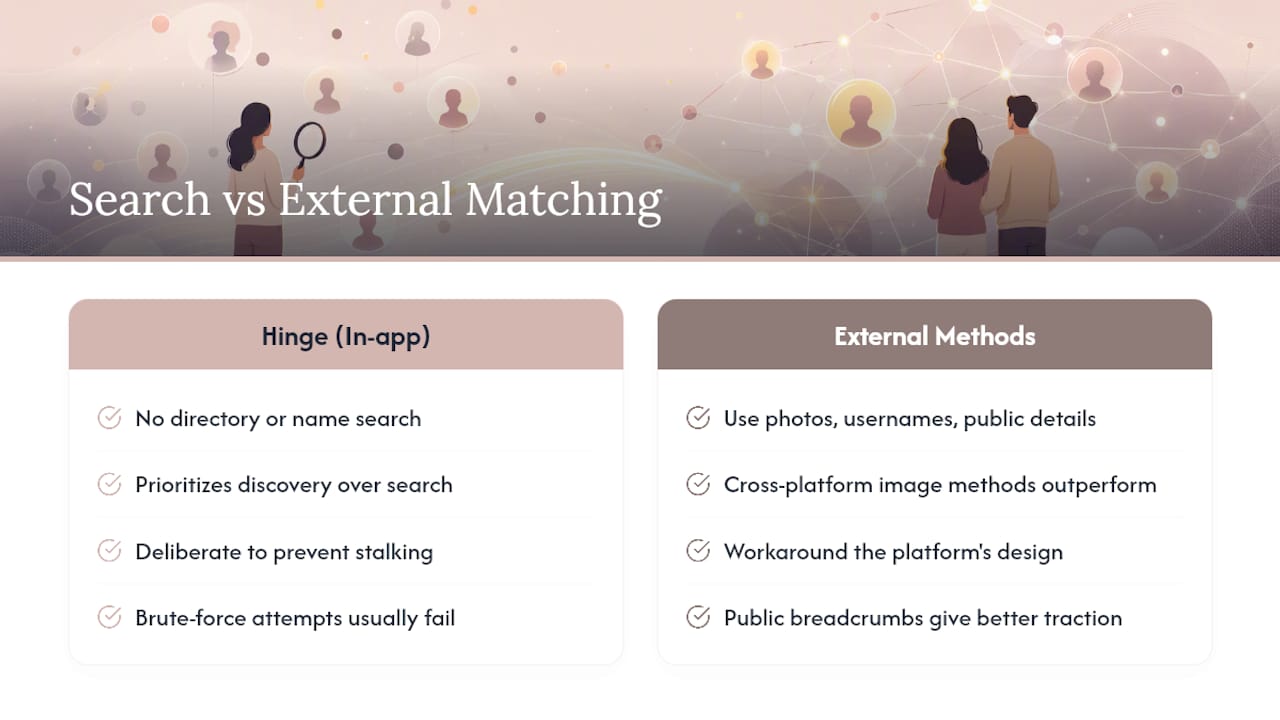
Hinge built its app this way on purpose. There’s no directory of users you can browse, no name search field, nothing that lets a stranger type in someone’s name and pull up their profile. Hinge’s own security documentation confirms the app prioritizes discovery over search, which is a polite way of saying they intentionally made it hard to hunt someone down.
This isn’t an accident or an oversight. It’s a deliberate choice to protect users from stalking, harassment, and exactly the kind of search you might be trying to run right now. Every dating app faces the same pressure, and most have landed on the same solution: hide people behind an algorithm instead of a search bar.
The practical effect for you is straightforward. Hinge’s lack of a search bar is deliberate, so trying to brute-force your way through the app usually goes nowhere, and your energy is better spent on external digital breadcrumbs instead. Photos, usernames, and public identity details live outside Hinge’s walls, and that’s where your search actually has traction.
This is also why cross-platform, image-based methods outperform in-app tricks almost every time. You’re not fighting the platform’s design. You’re working around it using information the person themselves put out into the public internet.
One caution worth repeating here: false positives happen constantly when you rely on a single clue. A matching photo alone, or a shared first name alone, isn’t proof of anything. Confidence only comes when several independent details point the same direction at once.
Step-by-Step Guidance on Safely Contacting Someone to Confirm Their Hinge Presence Without Violating Privacy
Sometimes the fastest way to confirm a Hinge profile isn’t a search at all. It’s a careful, indirect conversation. Done wrong, this backfires. Done right, it can settle the question without any snooping at all.
Start small. If you have a mutual friend who might casually know whether your partner uses dating apps, a low-pressure question in normal conversation can surface useful information without tipping anyone off.
If you’re comfortable with it, you can also create a Hinge profile yourself, using your own real information, and let Discover’s algorithm do its normal work. If your partner’s account shows up in your feed naturally, that’s public information you found through the app’s own design, not through any invasive method.
Never message the suspected profile pretending to be someone else. Catfishing to get a response crosses into deception that can complicate things badly, and it rarely gives you clean answers anyway.
If direct methods feel too risky or too likely to blow up in your face, step back and let a scan service confirm the profile for you instead. You get your answer without any direct contact, any confrontation, or any risk of tipping off your partner before you’re ready to have that conversation on your own terms.
Risks and Consequences of Attempting to Circumvent Hinge’s Privacy Measures
Trying to hack around Hinge’s privacy protections carries real risk. Creating fake accounts to message someone under false pretenses violates Hinge’s own terms of service, which can get accounts banned and, in some cases, flagged for abuse.
There’s also a personal cost people underestimate. Spending hours trying to trick an app into revealing someone’s profile eats uptime and emotional energy you could spend getting a clear answer from public sources. Worse, if your partner discovers you tried to circumvent an app’s privacy settings, even if nothing you did was technically off-limits, it can damage trust in ways that are hard to repair, regardless of whether your suspicions turn out to be true.
Attempts to bypass privacy protections can also blur into territory covered by unauthorized-access statutes, especially if you create fake identities to extract private information or manipulate someone into revealing account details. It’s not worth the gamble.
The smarter path skips all of this. Public data, legitimate photo searches, and scan services that only pull from publicly available profiles get you the same answer without the risk, the wasted time, or the trust damage.
Comparison of Popular Third-Party Tools Designed for Finding Dating Profiles
Third-party tools built for finding dating profiles generally fall into two camps: cross-platform data aggregators and reverse-image specific tools. Most rely on public-data matching rather than any direct connection to Hinge’s systems, since dating-profile finder services typically scan publicly listed information across the web rather than pulling from a private app database.
That distinction matters when you’re picking a tool. A service that only does reverse image search will miss someone if you don’t have a clear photo to start with. A service that aggregates public profiles across multiple dating apps at once, including Hinge, tends to give a fuller answer faster, especially if your starting information is limited to a name or a couple of photos.
Trustworthiness varies a lot in this space. Look for services that clearly state they only use public data, that explain their process in plain language, and that don’t ask for access to anyone’s phone or accounts. Any tool asking you to install something on someone else’s device isn’t a search tool. It’s spyware wearing a disguise, and using it puts you in the same danger discussed earlier.
An Honest Word From Someone Who’s Watched This Play Out
Worrying about a partner’s loyalty is exhausting, and I get why you want fast answers. But I’ll say this plainly: sneaking into someone’s phone, reading their messages, or installing tracking software never ends well, and it’s never worth the risk to you. It doesn’t matter how justified your suspicion feels in the moment.
The good news is you don’t need to snoop to get real answers. Public photo searches, filter tricks, and username cross-checks can get you partway there. When those DIY methods stall out, or when you just want a faster, cleaner answer, a scan service does the rest of the work for you.
Search their name now through a service built for exactly this situation, and skip the weeks of guessing that come from doing it all yourself.
— Oleg
Cheater Detector AI: How Our Scan Works and When to Use It
Cheater Detector AI is the alternative to spyware and phone-snooping for finding out if your partner has a hidden dating profile. Instead of touching their phone, we scan publicly available profiles across major dating apps and hand you the answer, anonymously and encrypted from start to finish.
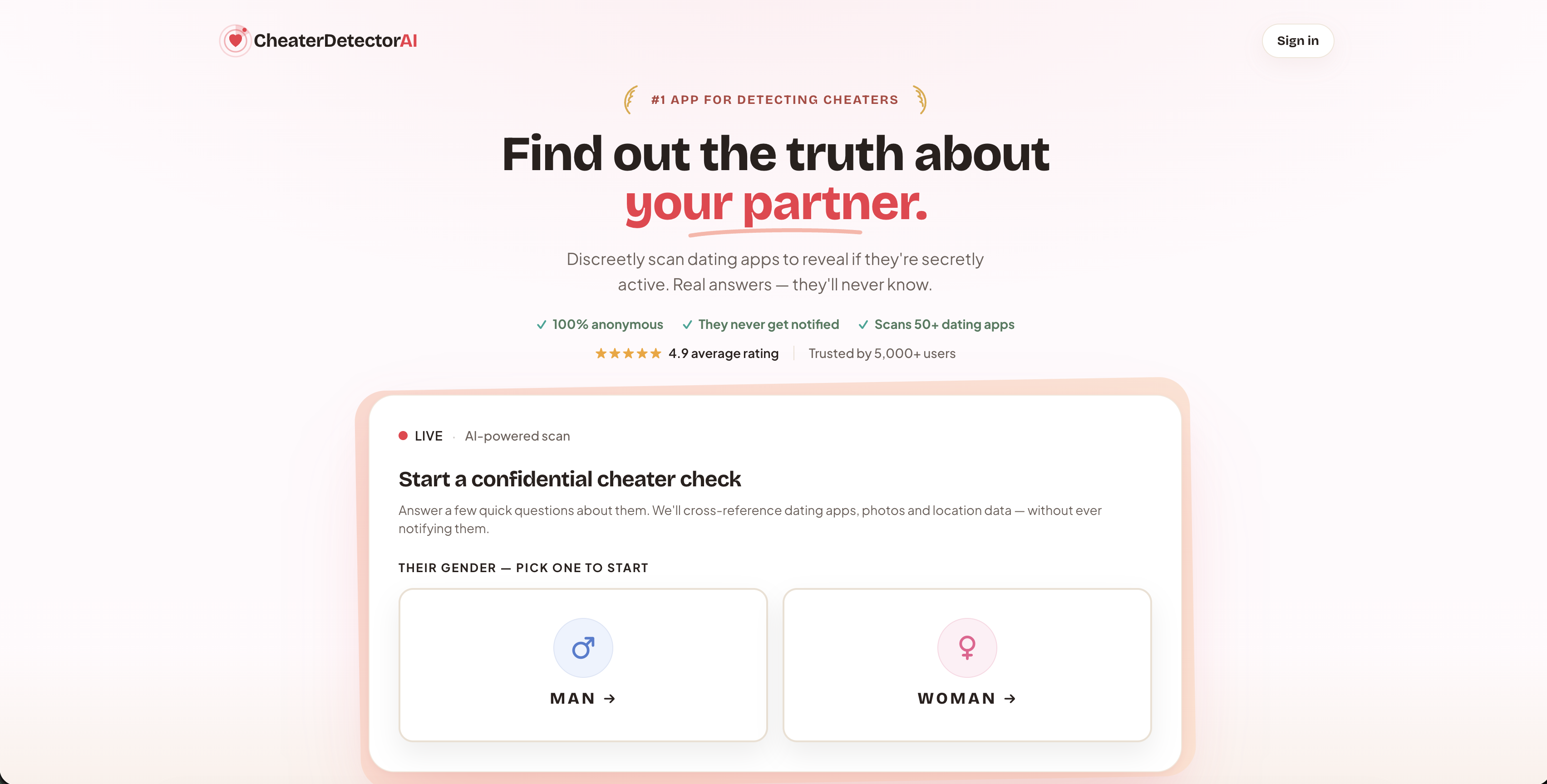
Here’s what makes it worth the shortcut. DIY methods, filter sniping, reverse image searches, username hunting, take real time and still leave gaps. Our scans are built to close those gaps fast, using only public information, with no phone access required. A typical report includes matched profile photos, activity timestamps, and matched prompts, giving you something concrete instead of a pile of half-confirmed guesses.
If you’ve already tried the free methods and hit a wall, or if you just want a faster and more complete answer, this is the moment to use a deep person scan. Check their profile today and stop spending your evenings scrolling through Discover filters hoping for a break.
Worried they might be active on more than one app? Search their name now through our anonymous scan and see the full picture in one report, not five separate searches. Whatever you find, or don’t find, you’ll know it came from a private process built on public data. Start your scan now and get your answer without touching their phone.
Sources
- Bureau of Justice Assistance — privacy / statutes (unauthorized access guidance)
- Hinge help: Discover feed
- Hinge — security / privacy statements
This article is general information, not legal advice for your specific situation.
FAQ
Can I find a specific person on Hinge?
Not through a direct search, since Hinge has no name lookup feature. You can narrow Discover with tight filters, run a reverse image search, or use a public-profile scan service like Cheater Detector AI to check across multiple dating apps at once.
Can I check if my partner is on Hinge?
Yes, as long as you stick to public information. Try filter sniping inside Hinge, a reverse photo search, or a scan service that checks public profiles, but never install spyware or access their phone without permission.
How do I find out if someone has a Hinge account?
Combine a reverse image search with username cross-checks on social media, and if you already know their name and city, a people-search lookup can help confirm identity details. For a complete answer fast, a paid public-data scan covers more ground than doing it manually.
Can you search Hinge profiles without an account?
You need an active Hinge account to see the Discover feed at all, since profiles aren’t publicly browsable outside the app. Third-party scan services get around this by matching public data across the web instead of searching inside Hinge directly.