%20scale(1.05)%20translate(-12,-14.25)'%3e%3cpath%20d='M12%2021s-7.5-4.7-7.5-10.2A4.3%204.3%200%200%201%2012%207.5a4.3%204.3%200%200%201%207.5%203.3C19.5%2016.3%2012%2021%2012%2021Z'%20fill='%23F0384A'%3e%3c/path%3e%3c/g%3e%3c/svg%3e)
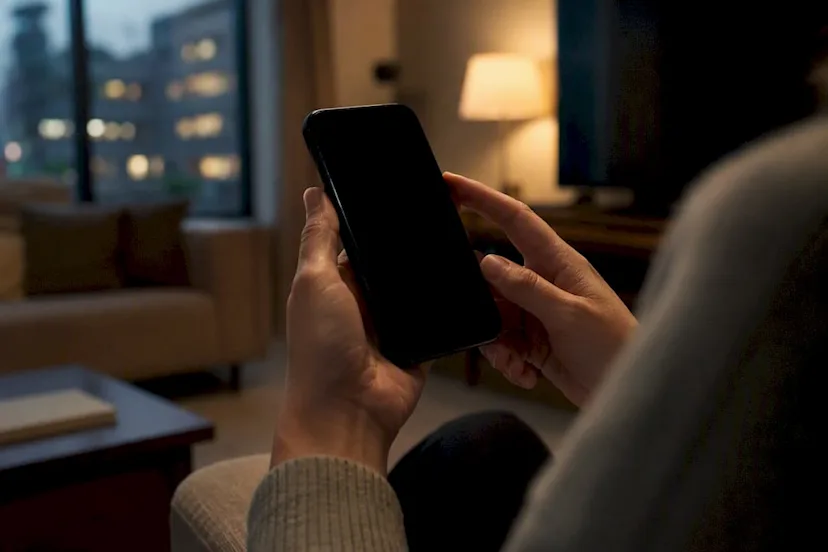
No, Hinge does not notify anyone when you screenshot a profile, a chat, or a photo. It also doesn’t alert your match if you screen record the conversation. Hinge’s own help center treats screenshots as something your phone does, not something the app tracks. Keep reading for the proof, plus what Hinge actually does watch.
TL;DR:
- Hinge does not notify users when someone takes a screenshot or records their conversation, as it relies on device-level functions, not in-app alerts.
- Screen recordings on iPhone, Android, or Mac are also silent and do not trigger any notifications to the other party.
- The only activity signals Hinge surfaces are active status, sent likes, matches, and message send confirmations, not screenshots.
- Protect your privacy by avoiding revealing personal details or intimate photos, as there’s no way to prevent someone from capturing and sharing screenshots without notification.
- Attempting to monitor someone through spyware or hacking can backfire badly; public profile checks are the better alternative.
Does Hinge Notify Screenshots? Here’s the Evidence
You don’t have to take our word for it. Hinge’s own support pages explain how to take a screenshot or screen recording on iPhone and Android, walking you through your phone’s buttons and settings, not an in-app feature. That’s the tell. If Hinge had a built-in alert system, it wouldn’t need to explain your phone’s hardware shortcuts.
Business Insider confirmed this directly: Hinge sends no alert when someone screenshots a profile, a prompt, a match, or a message thread. SlashGear ran its own check and found the same thing.
- Hinge help docs describe device-level screenshot steps, not an app warning system.
- No tech outlet has found evidence of a Hinge screenshot alert, tested on both iPhone and Android.
- There’s no public announcement from Hinge about adding this feature, based on current documentation and coverage.
The pattern is consistent across every source that’s tested it. Screenshots on Hinge are silent, full stop.
What About Screen Recording on Hinge?
Screen recording is treated the same way: silently. Hinge doesn’t notify your match if you record your screen while scrolling their profile or reading a chat, according to SwipeStats. The recording tool lives on your phone, not inside the app.
- iPhone users record through Control Center, saving the video straight to Photos.
- Android users use their phone’s built-in recorder or a QuickSettings shortcut.
- Mac users capturing Hinge on a browser can use QuickTime, again with zero app involvement.
Some people record chats to save proof of something concerning, like a scam attempt or harassment. Others worry about their own privacy being recorded without their knowledge. Either way, Hinge has no part in the process.
How Hinge Compares to Snapchat, Tinder, and Bumble
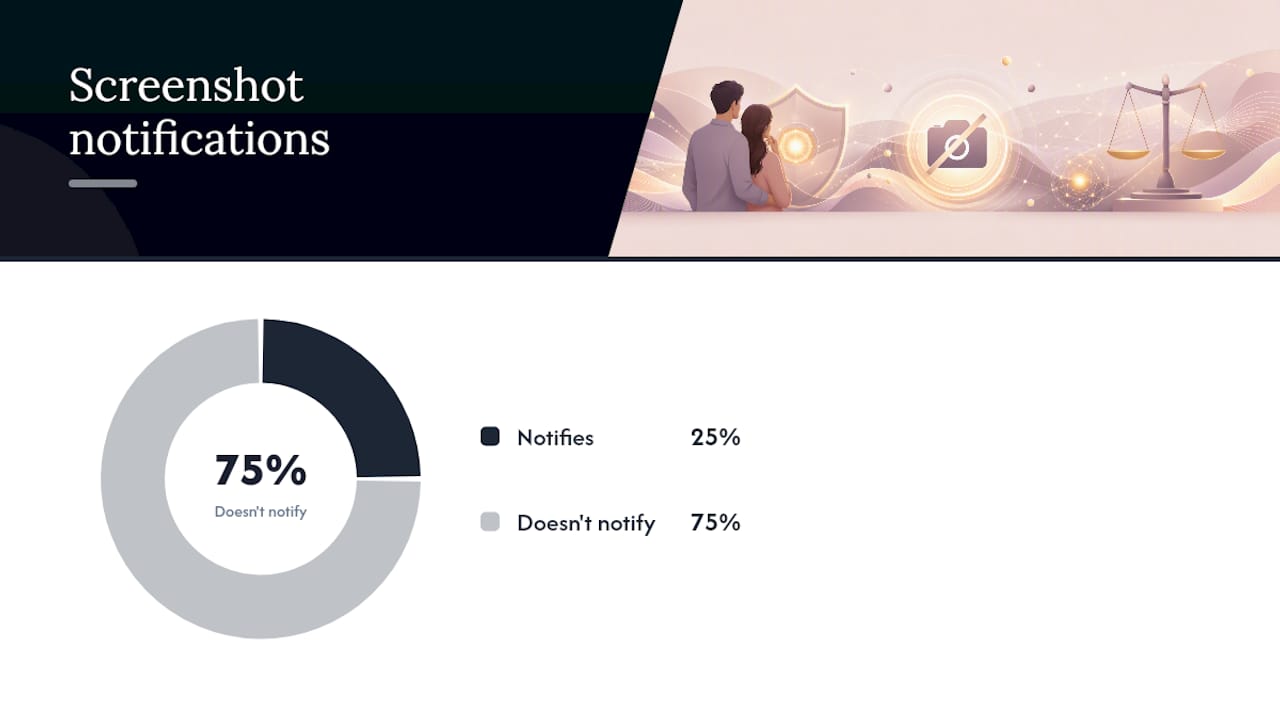
Snapchat is the reason so many people assume every app works this way. It built its whole reputation on alerting users to screenshots, and that expectation followed people straight into dating apps.
Hinge doesn’t work like Snapchat. Neither does Tinder or Bumble. Tech outlets that tested screenshot behavior across dating apps found the same silent pattern everywhere except Snapchat.
| App | Notifies Screenshots? |
|---|---|
| Snapchat | Yes |
| Hinge | No |
| Tinder | No |
| Bumble | No |
- Snapchat’s alert system was built around disappearing content, which made screenshot detection part of the product from day one.
- Dating apps prioritize permanence: profiles and messages are meant to stay visible, so there’s less incentive to police screenshots.
If you’ve been holding your breath every time you tap that screenshot button on Hinge, you can stop.
What Hinge Actually Tracks (and Shows Your Match)
Screenshots aren’t the privacy risk on Hinge. These signals are the ones that actually show up:
- Active status (“Active today” or a green dot for “Active now”)
- Likes sent on your profile or prompts
- Matches once two people like each other
- Sent status on messages, though Hinge does not show read receipts the way text messages do
Hinge’s help center confirms these are the real activity indicators the app surfaces. There’s no confirmation your match opened your message, only that it sent successfully.
You can control some of this in Settings. Turning off “Show Activity Status” hides when you were last online. Just know it’s mutual: if you hide your status, you also lose the ability to see other people’s.
Pro Tip: Check your own activity status settings before you go looking at anyone else’s. If it’s off for you, you won’t see it for them either.
How to Protect Your Own Privacy on Hinge
You can’t stop someone from screenshotting you, but you can control what’s worth capturing.
- Skip identifying details in your bio, like your workplace, your street, or your kids’ school.
- Avoid intimate or overly revealing photos anywhere on your profile.
- If a screenshot gets shared without your consent, save the original conversation with timestamps before you do anything else. That’s your evidence if you need to report it.
- Report the behavior directly to Hinge through the app’s reporting flow rather than confronting the person yourself.
- Blur or crop out faces and names before sending screenshots to friends. It’s a small step, but it keeps someone else’s identity out of a conversation they never agreed to join.
- If you need space to think, pause or hide your profile instead of deleting it outright.
Pro Tip: A quick blur edit takes ten seconds and protects the other person’s identity, even when you have every right to share the screenshot.
A Warning Before You Go Looking for Answers
Here’s the part you need to hear clearly: installing spyware, putting a tracking app on someone else’s phone, or reading their private messages without permission can be illegal. That’s not a gray area, and it can get you prosecuted, not just your partner.
- Never install tracking software or spyware on anyone’s device.
- Never access someone’s phone, email, or messages without their permission.
- Stick to checking what’s publicly visible, and report real concerns to the platform or, if needed, the police.
CheaterDetectorAI only searches public dating profiles. No phone access, no hacking, no spyware. Just a straightforward way to get answers.
Quick Takeaways Before You Move On
| What to remember | Why it matters |
|---|---|
| Screenshots are silent on Hinge | No alert goes to your match, ever |
| Screen recording is silent too | Same rule applies across iPhone, Android, Mac |
| Active status is the real signal | Likes, matches, and “active now” are visible, not screenshots |
| Skip the spyware | Snooping on a phone can backfire on you |
| Public checks are fair game | Use a tool like CheaterDetectorAI instead |
- Screenshotting a profile out of curiosity won’t tip anyone off.
- Your real privacy exposure comes from activity status, not screenshots.
- If you need real answers about a partner, public-profile checks exist for a reason.
Why We Built Cheater Detector AI Around Public Profiles
You don’t need to snoop to get peace of mind. CheaterDetectorAI exists because too many people feel pushed toward spyware out of desperation, and that path can cost them. We only search public dating profiles, nothing on anyone’s phone. Learn more about how it works below.
— Oleg
Check Public Dating Profiles the Right Way
Screenshots won’t tell you what you actually need to know. If you’re worried your partner has a hidden profile, CheaterDetectorAI is the no-snooping alternative to spyware and phone checks. We only scan public information across major dating platforms, no phone access, no hacking, no installing anything on their device.
If you have a name and a rough idea of where he or your partner lives, run a Deep Person Scan now and get a full report on matching profiles, photos, and activity timestamps. Worried specifically about dating apps? Check if your partner is on dating apps and get your answer fast. Have a photo but no name? Search by photo instead. Search their name now. Check their profile today. Get the truth without snooping.
Sources
- Hinge Help Center article (screenshot/screen recording guidance)
- Does Hinge Notify When You Screenshot? Here’s What to Know — Business Insider
- Does Hinge Notify Users About Screenshots? — SlashGear
FAQ
Does Hinge Notify Someone When You Screenshot Their Profile?
No. Hinge does not send any alert to a user when their profile, photos, or prompts are screenshotted.
Does Hinge Tell People When You Screen Record?
No. Screen recording is handled entirely by your device and triggers no notification inside Hinge.
Can You Screenshot a Hinge Picture?
Yes, you can screenshot any photo on Hinge using your phone’s normal screenshot method, and the person in the photo will not be notified.
Does Hinge Notify Your Contacts When You Join?
No, Hinge does not notify your phone contacts when you create a profile, unless you choose to connect your contacts yourself.
Does Tinder or Bumble Notify Screenshots?
No. Tested coverage from outlets like SlashGear confirms Tinder and Bumble behave the same way Hinge does, with no screenshot alerts.