%20scale(1.05)%20translate(-12,-14.25)'%3e%3cpath%20d='M12%2021s-7.5-4.7-7.5-10.2A4.3%204.3%200%200%201%2012%207.5a4.3%204.3%200%200%201%207.5%203.3C19.5%2016.3%2012%2021%2012%2021Z'%20fill='%23F0384A'%3e%3c/path%3e%3c/g%3e%3c/svg%3e)
No, Hinge does not have a true incognito mode. There’s no single switch that lets you browse invisibly while still staying visible to matches. But you can get close by combining three things: turning on Pause, turning off Last Active Status, and using the Block List. Do all three tonight, and you’ll control almost everything Hinge lets you control.
TL;DR:
- Combining Pause, disabling Last Active Status, and updating the Block List provides the closest approximation to incognito browsing on Hinge.
- Pausing your account prevents new matches from appearing, but does not stop billing or affect previous likes or ongoing conversations.
- Turning off activity status hides your last online activity, but does not make your profile completely invisible to current matches.
- The Block List only works if the contact details match the person’s sign-up info, making it less effective against burner or secondary accounts.
- Hinge offers no official paid incognito mode; its privacy controls rely on account-level toggles rather than a one-time subscription toggle.
What controls does Hinge actually give you?
You’re checking on your relationship, and that knot in your stomach won’t loosen until you know what’s really going on. Maybe he’s been guarding his phone. Maybe her messages get typed and deleted before you can read them. You want to look, but you also don’t want to wreck things by snooping. Here’s what Hinge actually gives you to protect your own privacy while you figure things out.
Hinge splits privacy into a few separate tools instead of one master switch. That’s confusing at first, but each piece does something specific.
- Pause hides your profile from the Discover feed, so new people stop seeing you. Chats you already have stay open and active.
- Show Last Active Status controls whether people see “Active now” or “Active today” next to your name. Turn it off, and that clue disappears.
- Block List lets you block specific people using their contact information, so someone you know personally never sees your profile.
- Profile visibility settings let you hide individual details, like certain photos or prompts, and preview exactly what your profile looks like to others using the “View” option while editing your profile.
None of these are labeled “incognito.” Hinge built its whole system around pausing your account rather than a paid anonymous-browsing feature, which is why so many people go looking for a setting that doesn’t exist. Once you understand that Pause is the closest thing Hinge has, the rest gets a lot easier to manage.
How do you pause your Hinge account step by step?
If you want to disappear from new people without deleting your account, Pause is your move. It takes under a minute.
- Open Hinge and tap your photo icon in the top corner.
- Tap the gear icon to open Settings.
- Find the Pause toggle and switch it On.
- Confirm the change. Your profile stops appearing in Discover immediately.
Once Pause is on, new people can’t find you, but your current matches and conversations stay exactly where they were. You can still text people you’re already talking to.
Here’s what Pause does not do, and this trips people up constantly. It does not cancel your subscription, so you’ll keep getting billed if you’re on a paid plan. It also doesn’t undo anything already in motion: if you sent a Like before pausing, that person can still receive it and match with you later. Pausing isn’t retroactive.
Pro Tip: Check your matches list right after pausing. Anyone who matched with you in the last hour probably saw your active profile before the pause kicked in.
To reverse it, go back to Settings and flip the toggle Off. Your profile reappears in Discover right away. If you want to double check it worked, ask a trusted friend who isn’t already a match to search for you. If your profile doesn’t show, the pause is holding. For a deeper breakdown of what pausing changes and what it leaves untouched, this guide to Hinge Pause walks through the fine print.
How do you hide your activity and block someone you know?
Pausing stops new people from finding you. It doesn’t stop someone from seeing when you were last online, and it doesn’t stop a specific person from stumbling across your profile. That takes two more steps.
Turn off your activity status:
- Open Settings.
- Find Show Last Active Status.
- Toggle it Off.
This removes the “Active now” and “Active today” labels other users see. Without it turned off, Hinge quietly broadcasts when you were last on the app, which is often the exact detail that makes a partner suspicious in the first place.
Add someone to your Block List:
- Go to Settings and open Block List.
- Enter the phone number or email of the person you want to avoid.
- Confirm the block.
Combine all three tools and you’ve built the closest thing Hinge offers to a private mode:
- Pause: On
- Show Last Active Status: Off
- Block List: updated with anyone you specifically want blocked
Here’s the catch with blocking. The Block List only works if the contact info matches what that person actually used to sign up. If your partner set up a Hinge account with a burner number or a secondary email, blocking the number you have saved for them does nothing. That’s a real gap, and it’s one reason a lot of people can’t fully trust the block feature alone.
What Hinge still can’t hide, and where people go wrong
People assume pausing their account is the same as making it invisible everywhere, and that assumption gets them caught off guard.
Here’s what actually stays exposed even after you pause:
- Your subscription keeps billing. Pausing your visibility doesn’t touch your payment plan.
- Old Likes can still match. If you liked someone before pausing, that Like is still live and can turn into a match at any time.
- Logging out isn’t the same as deactivating. Closing the app or logging out doesn’t hide your profile. Only Pause or full deactivation does that.
- Block List failures happen often. If contact details don’t match, the block silently fails.
One detail worth knowing: Hinge doesn’t use read receipts, so nobody can see if you’ve read their message. But activity indicators and Hinge’s own sorting of who shows up in whose feed still work in the background unless you specifically disable them. There’s no dashboard showing you “who’s viewed you,” which means a lot of the certainty people want from Hinge simply isn’t available through the app itself.
Should you switch to an app with paid incognito instead?
Some dating apps sell an incognito feature outright. Tinder, for example, offers a paid mode that hides your profile from almost everyone except people you’ve already liked. Bumble runs a similar concept under its own private browsing option. Hinge doesn’t sell that. It built its privacy system around account-level controls instead of a one-time paywall toggle.
That difference matters if you’re trying to figure out whether a partner is active without them knowing you’re checking.
- Paid incognito on other apps hides your profile from the general pool, but you still show up to anyone you’ve liked.
- Hinge’s Pause model hides you from new people entirely and keeps existing chats running, but it’s not one-way invisible browsing.
- Neither model lets you see someone else’s activity without them potentially noticing something changed on their end.
If your only goal is disappearing from new matches while you sort things out personally, the Hinge privacy recipe (Pause plus disabled Last Active plus Block List) covers almost everything a paid incognito toggle would give you. Switching apps or paying for a premium tier rarely buys you much more. Try the free combination first before spending money chasing a feature Hinge simply doesn’t sell.
Why chasing “incognito mode” misses the real question
The real question isn’t whether Hinge has a hidden setting. It’s whether checking someone’s phone or messages is okay. It isn’t.
Reading someone else’s texts, installing spyware on their phone, or accessing their accounts without permission is illegal in nearly every state, regardless of your relationship to that person. Being married or paying the phone bill doesn’t change that. And it tends to make everything going on in your relationship harder, not easier, no matter how anxious you feel right now.
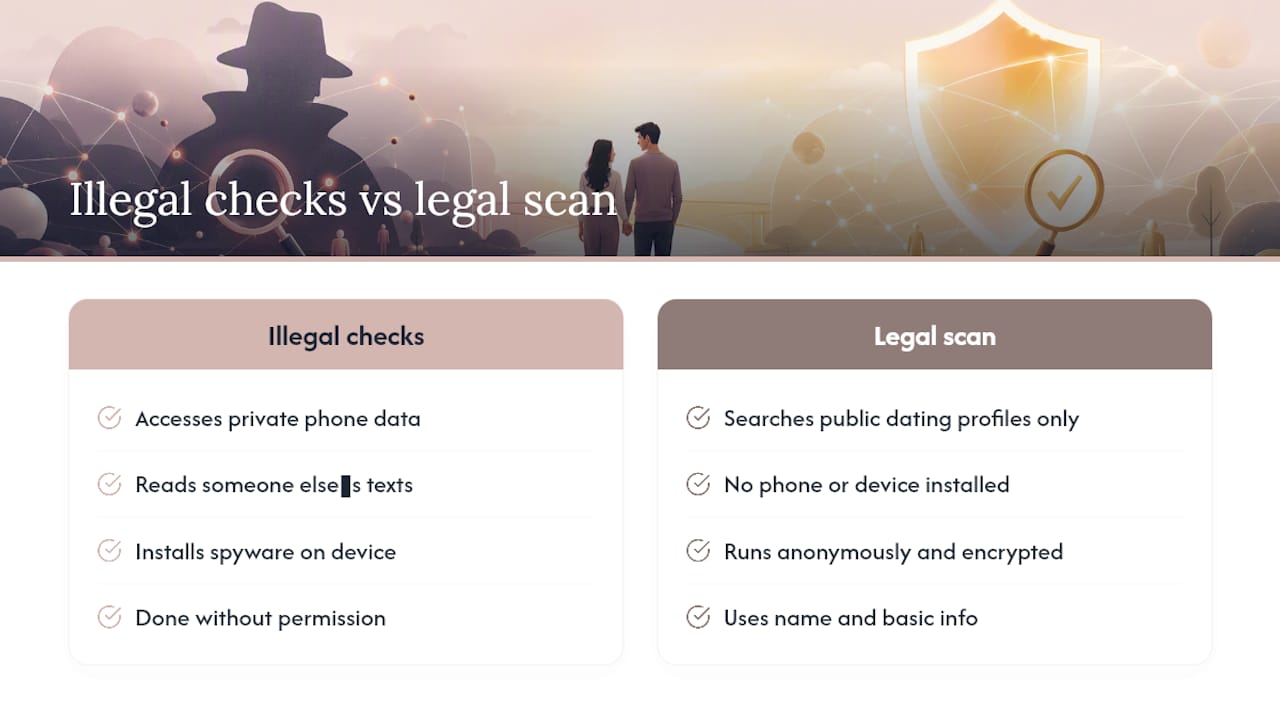
A public-profile scan service stays on the right side of that line by scanning only public dating profiles across major apps using details you already have, nothing pulled from a phone, nothing installed on a device, nothing intercepted. Such scans run anonymously and encrypted, so the partner never finds out you looked.
If you’ve already worked through the Hinge privacy recipe on your own account and you’re still stuck wondering whether your partner has an active profile somewhere, that’s exactly the gap a public-profile scan is meant to close. You don’t need their phone. You don’t need their password. You need a name and a little basic information, and Cheater Detector AI checks it against public profiles instead of pushing you into snooping.
— Oleg
A private way to check if your partner has a hidden profile
Here’s the honest tradeoff: spyware feels faster, but it’s invasive and it can blow up in your face. Cheater Detector AI skips that entirely by scanning only public dating profiles, anonymously and encrypted, with no phone access required at any point.
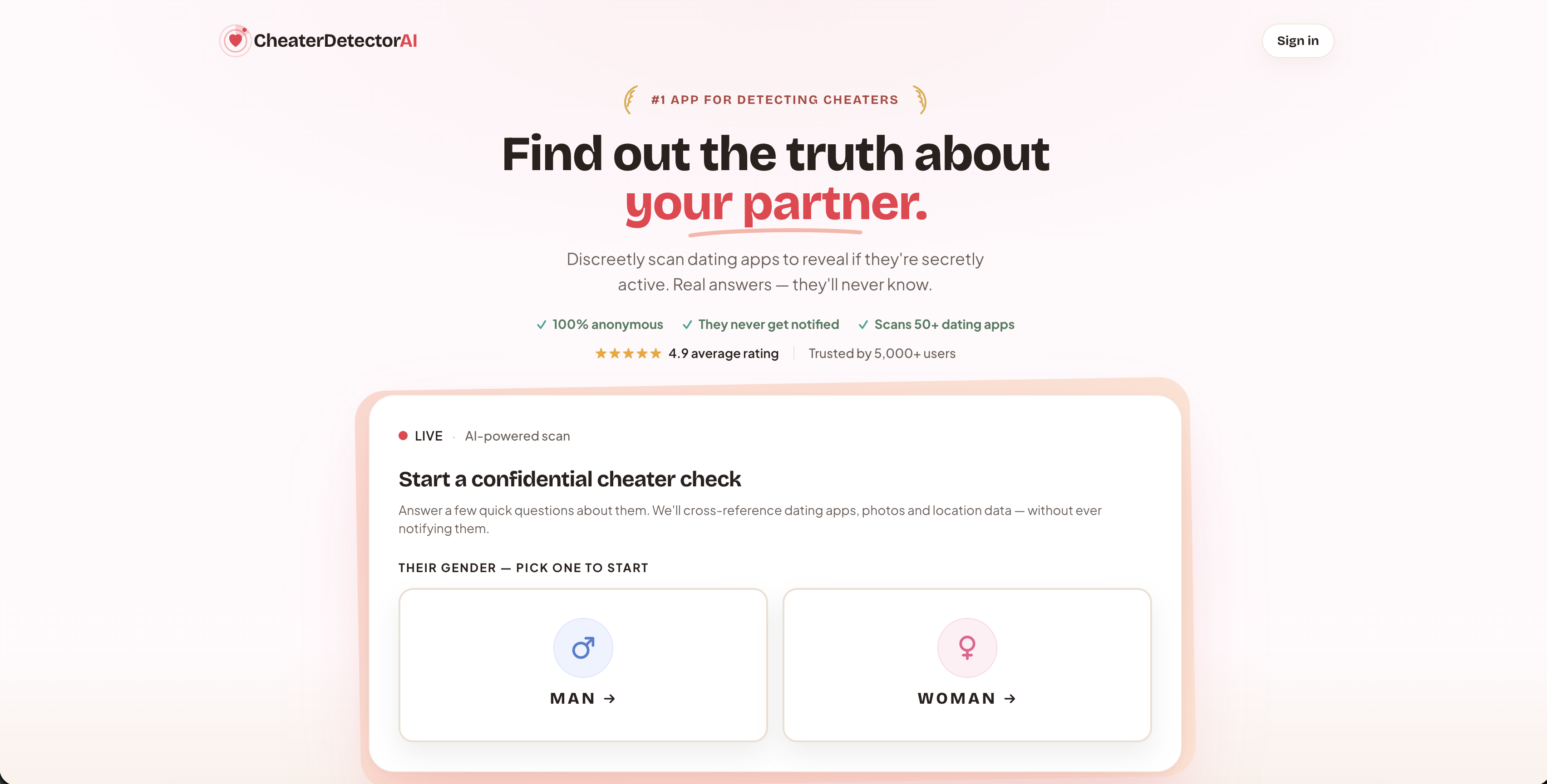
You provide a name and a few basic details. The service cross-checks that information against active profiles on major dating apps and sends back a report, including photo matches and activity timestamps where they exist. Nothing touches your partner’s phone. Nothing gets installed. Your partner never gets a notification, and the results come back fast.
Search their name now through the main scan tool if you want a straight answer instead of more guessing. Check their profile today using the deep person scan if you already suspect a specific platform. Or if the question keeping you up at night is simpler than that, just run a scan now on whether your partner is on dating apps at all. You’ve spent enough nights wondering. Get the answer instead.
Where to check these Hinge privacy details yourself
The steps in this article come straight from Hinge’s own support pages, along with a couple of comparison points from other apps.
- Pausing your account, Hinge’s official guide on how Pause works and what it changes.
- Blocking people you know, Hinge’s explanation of Block List behavior and its limits.
- Editing your profile, covers hiding individual profile fields.
- Hiding your Tinder profile, for context on how paid incognito works elsewhere.
- Cheater Detector AI’s landing page, if you want a private way to check for hidden dating activity.
Sources
- Pausing – Hinge
- How can I Block People I Know – Hinge
- How do I edit my profile? – Hinge
- Hide your Tinder profile – Tinder Help
FAQ
Can I prevent people from seeing me on Hinge?
Yes. Turn on Pause to stop appearing to new people, and turn off Show Last Active Status so existing matches can’t see when you were last online.
Can you browse Hinge anonymously?
Not fully. There’s no true anonymous browsing mode on Hinge, but pausing your account combined with disabling Last Active gets you close for anyone new who might discover your profile.
How do I hide myself on Hinge?
Go to Settings, toggle Pause to On, then turn off Show Last Active Status. Add anyone specific you want to avoid to your Block List, keeping in mind it only works if their contact details match yours.
Can I hide myself from specific people on Hinge without pausing my whole account?
Yes, use the Block List for that. It targets individual people by phone number or email rather than hiding you from everyone, though it only works if the contact info matches what they used to sign up.
Does pausing my Hinge account cancel my subscription?
No. Pausing hides your visibility but doesn’t stop billing, and any subscription payments continue as scheduled.