%20scale(1.05)%20translate(-12,-14.25)'%3e%3cpath%20d='M12%2021s-7.5-4.7-7.5-10.2A4.3%204.3%200%200%201%2012%207.5a4.3%204.3%200%200%201%207.5%203.3C19.5%2016.3%2012%2021%2012%2021Z'%20fill='%23F0384A'%3e%3c/path%3e%3c/g%3e%3c/svg%3e)

You noticed something. Your partner’s Hinge profile shows “Active Today” — and your stomach dropped. You’re not imagining things. That label is real, and it means something.
Here’s the short answer: Hinge’s active status labels show approximate recent activity on the app. They appear in browsing feeds, not in chat. You can hide your own status in Settings, and you can run a public-profile scan if you suspect your partner is secretly using the app.
The three labels you’ll see:
- Active Now — opened the app very recently (within the last hour or so)
- Active Today — used the app at some point today
- Last Active — a loose timestamp (e.g., “2 days ago”) when neither of the above applies
What to do right now:
- Open Hinge and check your own settings (Settings → Show Last Active Status)
- If you’re worried about your partner, read the options below before doing anything else
- Run a legal public-profile scan if you need real answers fast
Key Takeaways
Hinge’s active status labels are approximate signals visible in browsing feeds only — not in chat — and you can control your own visibility with a single toggle in Settings.
| Point | Details |
|---|---|
| What the labels mean | “Active Now,” “Active Today,” and “Last Active” show approximate recency, not precise timestamps. |
| Where status appears | Visible in Discover, Standouts, and Likes You — never inside existing chat conversations. |
| Reciprocity rule | Hiding your own status means you can’t see anyone else’s status either. |
| No read receipts | Hinge only shows “Sent” in chat; it never confirms a message was read. |
| CheaterDetectorAI | Scans public dating profiles anonymously — no phone access, results delivered fast. |
What does each Hinge active status label actually mean?
Hinge added the Last Active feature to help people gauge whether a potential match is still using the app. The labels are intentionally approximate. Hinge keeps them lightweight on purpose — the goal is to reduce anxiety, not feed it.

| Label | What it means | Approximate timeframe |
|---|---|---|
| Active Now | Opened the app very recently | Within the past hour |
| Active Today | Used the app at some point today | Same calendar day |
| Last Active | Hasn’t opened it today | Shows days or weeks ago |
One thing worth knowing: these labels are not live read receipts. They don’t tell you what your partner did inside the app — only that he or she opened it. Editing a profile, swiping, or sending a message all register the same way.
Hinge’s Signals badge is a separate feature entirely. It reflects 30 days of thoughtful participation on the app and is not the same as “Active Now.” Don’t confuse the two.
Who can see your last active status on Hinge?
The active status appears in three places: Discover, Standouts, and Likes You. It does not appear inside existing chat conversations. So if you’re already matched and messaging someone, you won’t see a live “Active Now” dot in that chat window.
Visibility rules at a glance:
- Non-matches browsing Discover or Standouts can see your status
- People who have liked you can see it in their Likes You feed
- Existing matches do NOT see your active timestamp inside the chat screen
- Paid subscribers (Hinge+, HingeX) can sort their Likes You feed by Last Active, but they don’t get access to any extra private timestamps
Why you might not see someone’s status:
- They turned off their Last Active status in Settings
- You turned off your own status (reciprocity rule — more on that below)
- They haven’t opened the app in more than a day
| Scenario | Do you see their status? |
|---|---|
| They have status visible, yours is on | Yes |
| They turned their status off | No |
| You turned your status off | No |
| They haven’t been active recently | No label shown |
How to turn your last active status on or off
The toggle is simple. Follow these steps on either iPhone or Android:
- Open Hinge and tap your profile photo (bottom left)
- Tap the gear icon (Settings) in the top right
- Scroll to “Show Last Active Status”
- Toggle on (purple) or off (gray)
- Changes save automatically — no extra button needed
The reciprocity rule matters here. If you turn your status off, Hinge hides everyone else’s status from you too. You can’t go invisible while still watching others. That’s a deliberate design choice.
Pro Tip: If you toggled the setting and nothing changed, log out of Hinge completely, then log back in. Also check for a pending app update — outdated versions sometimes don’t reflect setting changes right away.
How accurate is Hinge’s active status, really?
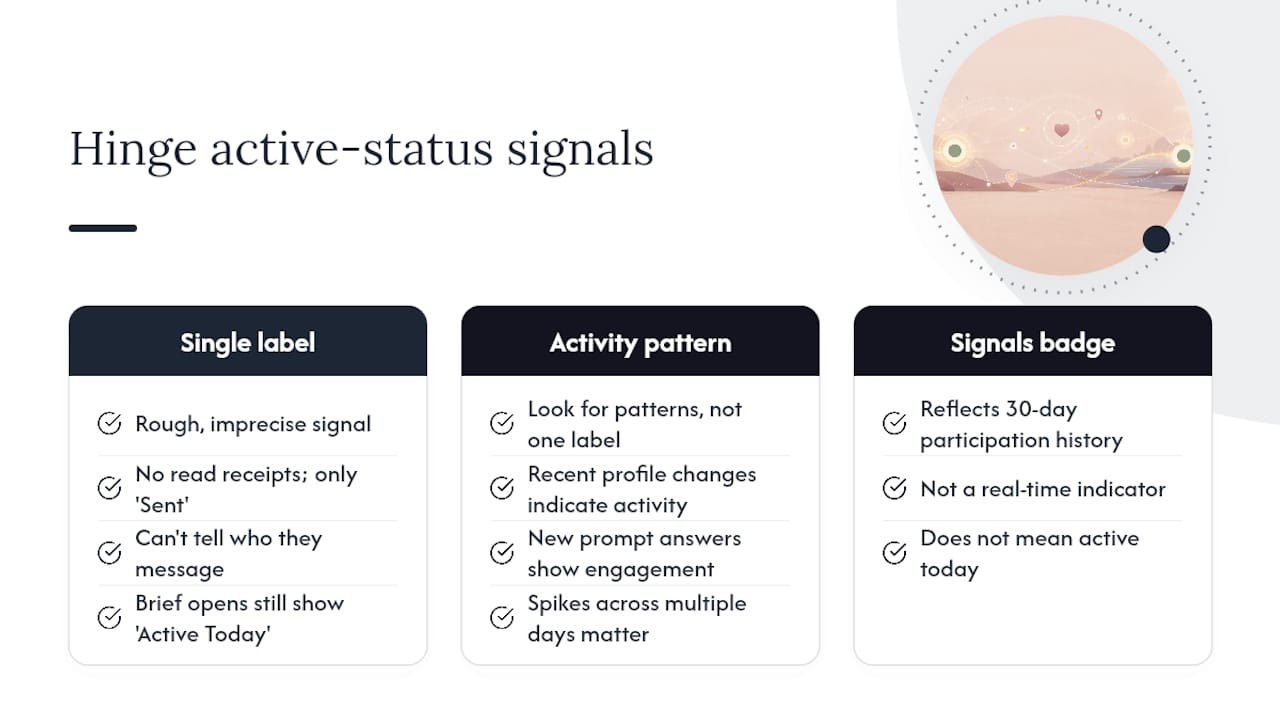
Honest answer: it’s a rough signal, not a precise tool. Hinge does not provide read receipts — the only delivery indicator in chat is “Sent.” You cannot tell if your partner read your message, who they’re talking to, or what they did while the app was open.
The labels can also lag. A person might open the app briefly to check a notification, and that still registers as “Active Today.” Profile edits, push-notification taps, and active swiping all look identical from the outside.
Don’t build a case on one label. Community reports and user guides consistently show that single active-status signals are unreliable on their own. Look for a pattern: recent profile changes, new prompt answers, or a sudden spike in activity across multiple days — not just one “Active Now” moment.
Pro Tip: Combine signals before drawing conclusions. A single “Active Today” label could mean your partner opened a push notification by accident. A pattern of daily activity over two weeks is a different story.
One more thing: the Signals badge some profiles display reflects 30-day participation history. It is not a real-time indicator. Seeing it does not mean someone was active today.
Privacy, safety, and what you must never do
This is the part nobody wants to hear, but you need to know it.
Installing spyware, using tracking apps, or reading your partner’s messages without permission is illegal in the United States. The Electronic Communications Privacy Act and state-level computer fraud statutes can lead to criminal prosecution — even if you’re married. You could face fines or jail time.
What you must NOT do:
- Install any app on your partner’s phone without consent
- Access their Hinge account or messages without permission
- Use phone-tracking software to monitor their location secretly
What you CAN do:
- Check your own Hinge settings and review your partner’s public profile
- Ask your partner directly
- Use a service that scans only publicly available dating profiles (no phone access required)
- Hire a licensed private investigator
Pro Tip: If you’re tempted to grab their phone, stop. The risk to you is real. A public-profile scan gives you the same answer without touching their device.
Learning how to check if someone is on a dating app the right way protects you — and gives you evidence that actually holds up.
A direct word to you
You’re not crazy for noticing. You’re not overreacting for caring. That sick feeling in your gut when you see “Active Today” on someone who told you they deleted the app — that’s real, and it deserves a real answer.
But uncertainty eats at you. Every day you don’t know is another day of bad sleep, second-guessing every text, and pretending everything is fine. That cost is real too.
So here’s what to do:
Check your Hinge settings now — confirm what your own status shows and whether you can see theirs.
Search their name today using a public-profile scan — you’ll know within minutes whether an active profile exists.
Run a profile scan right now at CheaterDetectorAI — no phone access, no confrontation, just answers.
Cheater Detector AI: get real answers without their phone
Gut feelings deserve facts. CheaterDetectorAI scans publicly available profiles across major dating apps — including Hinge — using only the information you provide. No phone access. No spyware. No confrontation.
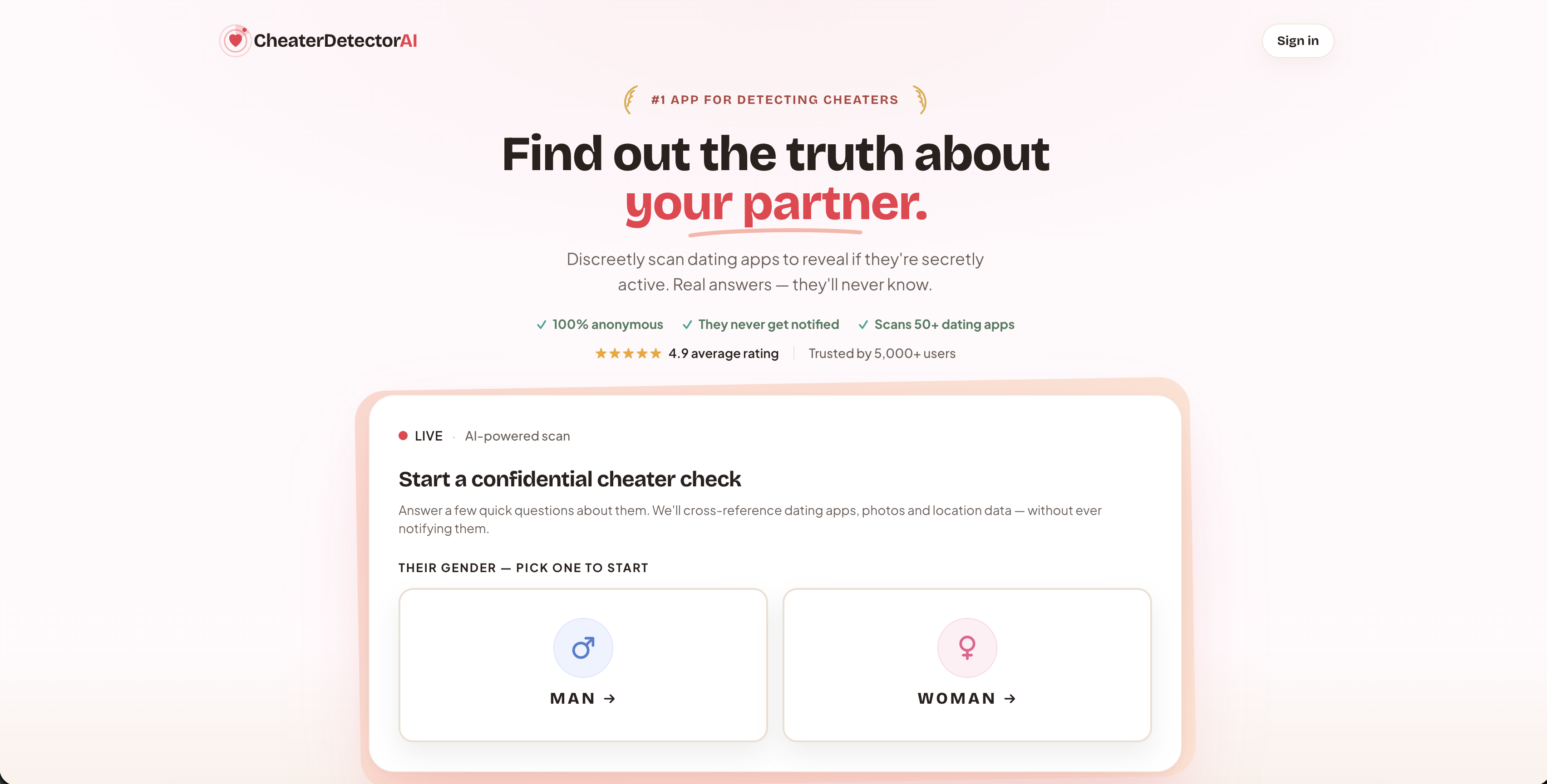
You get a detailed, encrypted report: profile photos, activity timestamps, and matches across platforms. The scan is anonymous — your partner is never notified. Over 5,000 users have used the service, with a 4.9 average rating.
If you’ve been reading this article because something feels off, that’s enough reason to check. Run a deep person scan and know the truth today. You can also learn more about finding hidden dating profiles before you decide.
Sources
- Last Active Status – Hinge
- Does Hinge Have Read Receipts? 3 Activity Alternatives
- Lingoly
- Hinge Last Active: How to Tell if Someone Was Active on Hinge
FAQ
What does “Active Now” mean on Hinge?
“Active Now” means the person opened the Hinge app very recently, typically within the past hour. It is an approximate label, not a live tracker, and it appears in browsing feeds like Discover and Likes You.
How long does Hinge show “Active Now”?
The label is approximate and not tied to a precise countdown. According to user reports and guides, it typically reflects activity within roughly the past hour, after which it shifts to “Active Today” or a “Last Active” timestamp.
How accurate is Hinge’s active status?
It’s a rough signal only. The labels are intentionally approximate, can lag, and don’t distinguish between swiping, editing a profile, or tapping a notification. Hinge’s own documentation frames them as pressure-reducing indicators, not verification tools.
Can you tell if someone is active on Hinge without them knowing?
You can see their active status label in Discover or Likes You if they haven’t hidden it and you haven’t hidden yours. For a deeper check on whether your partner has an active profile, CheaterDetectorAI scans public Hinge profiles anonymously, with no notification sent to your partner.
Why can’t I see someone’s active status on Hinge?
Three reasons cover almost every case: they turned off their Last Active status in Settings, you turned off your own (which hides everyone else’s too), or they simply haven’t opened the app recently enough to trigger a label.