%20scale(1.05)%20translate(-12,-14.25)'%3e%3cpath%20d='M12%2021s-7.5-4.7-7.5-10.2A4.3%204.3%200%200%201%2012%207.5a4.3%204.3%200%200%201%207.5%203.3C19.5%2016.3%2012%2021%2012%2021Z'%20fill='%23F0384A'%3e%3c/path%3e%3c/g%3e%3c/svg%3e)
Incognito hides your profile from the Grindr grid, keeps you off other people’s “Viewed Me” lists, and turns off read receipts while it’s on. It does not make you a ghost. The moment you message someone or tap a profile, you can still show up, and the feature only works if your partner has paid for Grindr Unlimited on a phone or tablet.
TL;DR:
- Grindr’s green activity dot can linger up to 15 minutes after closure, and profiles may remain in the grid for about an hour.
- Incognito stays active across app sessions, and checking Viewed Me requires turning it off, creating brief periods when ordinary visibility returns.
- Turning off Show distance hides exact mileage but not rough proximity, because a profile’s grid position can still reveal relative location.
- Record dates and times of repeated activity before raising concerns, then begin with a neutral request to talk rather than an accusation.
How Incognito actually works on Grindr
You turn Incognito on from your profile, then the status bar near the top of the screen, then tap the Incognito toggle. Once it’s active, three things change right away.
- You stop appearing on the main grid where other users browse nearby profiles.
- You no longer show up on anyone else’s “Viewed Me” page, even if you look at their profile.
- Read receipts turn off, so people can’t tell if you opened their message.
What Incognito does not do is stop you from browsing or messaging. You can still swipe through profiles, open chats, and send messages exactly like normal. Incognito is only available through Grindr Unlimited, the paid subscription tier, and it works on both iOS and Android. If your partner has it turned on, it means he or she has paid for the upgraded plan specifically to stay hidden, which is worth sitting with for a moment.
When Incognito stops protecting your partner
Incognito has real gaps, and they matter if you’re trying to understand what you’re actually seeing.
- Tapping a profile or sending a message still reveals activity, because interaction isn’t covered by Incognito.
- A green dot appears when someone opens the app and can stay visible for up to 15 minutes after they close it.
- A profile can remain visible in the grid for about an hour after the app is closed, even for users who aren’t using Incognito.
- Once Incognito is turned on, it stays on across sessions. Closing the app or restarting the phone won’t switch it off.
Up to 15 minutes is how long a green “active now” dot can linger after someone exits the app, according to Grindr’s own help center. That window matters if you’re comparing when your partner said they put the phone down against when you noticed changes in their behavior.
There’s one more wrinkle. Viewed Me settings get locked while Incognito runs. If your partner wants to check who viewed them, they have to turn Incognito off first, use Viewed Me, then turn it back on. That back-and-forth sometimes leaves small gaps where normal visibility briefly returns.
Other privacy settings people confuse with Incognito
Grindr has several privacy tools, and they don’t all do the same job. Knowing the difference helps you read what’s actually happening.
- Profile Hide blocks your profile from specific people you choose, without notifying them, which differs from Incognito’s blanket concealment and from blocking someone outright, according to Grindr’s hiding profiles guide.
- Show distance can be switched off so others can’t see exact mileage, but your position in the grid order still gives away a rough distance, a limitation Grindr itself acknowledges.
- Show me in Explore and Show me in For You control whether a profile appears in those specific browsing tabs, separate from grid visibility.
- Viewed Me toggles control whether someone can see who checked out their profile, and this setting is disabled automatically while Incognito runs.
- Discreet app icon and a security PIN change how Grindr looks and locks on the home screen itself, which is a device-level privacy choice rather than an in-app one, as described in Grindr’s safety tips.
None of these settings override Incognito, and none of them fully replace it either. They solve different problems.
Spotting the signs someone is hiding their activity
You don’t need to go through anyone’s phone to notice patterns. Watch for these instead.
- Someone is in your favorites or contacts but always shows offline, never active, never viewable.
- You never appear on their Viewed Me list even though you know they looked, which can point to Incognito rather than disinterest.
- Grid position still shifts in ways that suggest movement or activity, even with Show distance turned off, because relative order still hints at proximity.
- A new discreet app icon shows up on their phone, or a fresh PIN lock appears on an app that never had one before.
- Short bursts of activity happen late at night, often around the same time every night, a pattern that’s easy to miss if you’re not watching for it.
Pro Tip: Write down the dates and times you notice these patterns before you say anything. A pattern is harder to explain away than a single moment.
What to do if you think your partner is hiding Grindr activity
Jumping straight to an accusation rarely goes well, and it can shut down the conversation before you learn anything. A calmer sequence works better.
- Observe first. Note the dates and times you see unusual patterns: late-night activity, a locked app, a new icon. Keep it factual, not emotional.
- Choose your words carefully. Try something short and non-accusatory, like “I noticed something on your phone and I want to talk about it,” rather than opening with an accusation.
- Decide if you need more before you talk. If what you’ve seen so far feels thin, it’s reasonable to want clearer answers before a conversation that could go badly either way.
- Consider an anonymous check. A discreet scan across dating apps can confirm or rule out an active profile without touching anyone’s phone or sending a single notification.
Pro Tip: A private log beats a confrontation built on gut feeling alone. Dates and times give you something concrete to point to if the conversation gets tense.
If you want a head start on what to look for, this guide on spotting a partner on dating apps walks through the same observation steps in more detail.
Where an anonymous scan fits into this picture
I’m Matt, and I write about the privacy side of dating apps, the part that matters when trust is already shaky. Incognito and similar settings are built for people who want to browse without being seen, and that’s exactly why a worried partner feels stuck guessing.
Services exist that offer scans across dating apps to look for active profiles. These scans may return profile photos and activity timestamps. Reports are designed to be encrypted and anonymous, so no notifications are sent and nothing appears on the other’s phone. Before you run one, it’s worth asking yourself what you’re actually looking for and what you’ll do with the answer either way.

A short note before you decide anything
If you’re reading this because something feels off, trust that instinct enough to look closer, but not so much that you skip the facts. Watch the patterns for a few days. Then check their profile today instead of guessing in silence.
— Matt
How CheaterDetectorAI can help you get a clear answer
We built CheaterDetectorAI for exactly this moment: when you’ve watched the patterns, you’ve had the conversation, and you still need proof instead of a feeling. A scan checks for an active profile on major dating apps using only the details you already have, and nothing reaches your partner’s phone.
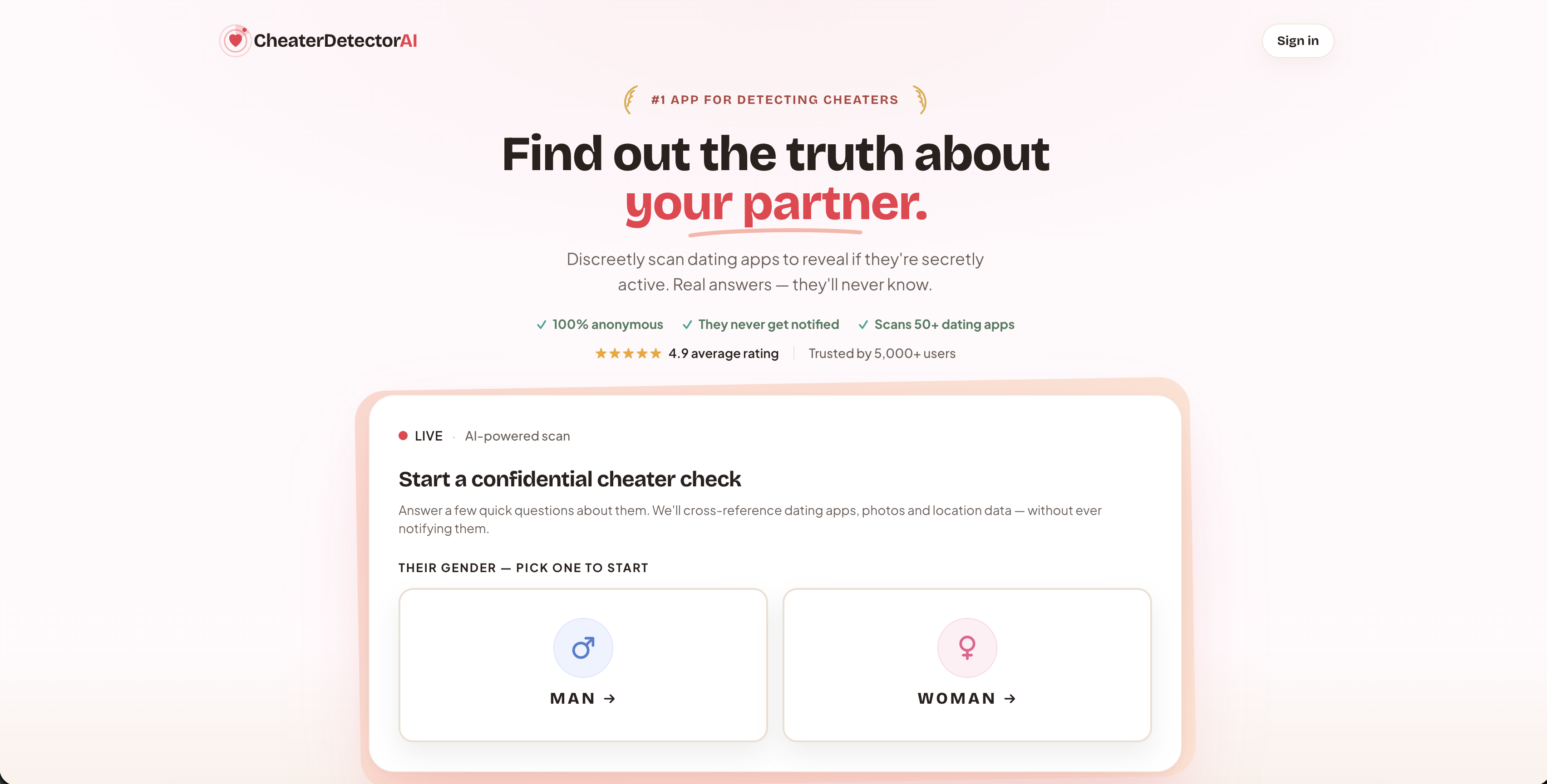
- Deep Person Scan cross-references a name and basic details against profiles on multiple apps at once.
- Partner Check gives a faster, focused look specifically at whether your partner has an active dating profile.
- Reverse-image dating search matches a photo you already have against profile pictures across platforms.
- App-specific searches cover Tinder, Bumble, Hinge, OkCupid, and Plenty of Fish when you already suspect a specific app.
Every report stays encrypted and anonymous, and your partner never sees a notification or a trace. If you’ve gathered your own observations and you’re ready for a real answer, start a Partner Check now and search their name today.
FAQ
What does Incognito mode on Grindr do?
Incognito hides a profile from the main grid, removes it from other users’ Viewed Me lists, and turns off read receipts, according to Grindr’s own Unlimited documentation. It does not stop someone from browsing or sending messages while it’s active.
How can I tell if someone is using Incognito on Grindr?
There’s no direct notification that tells you Incognito is on. The clearest signs are mismatches, like someone never appearing on your Viewed Me list, always showing offline despite being in your favorites, or grid positions that still shift slightly even with distance hidden.
How do I use Grindr discreetly?
Turn on Incognito through your profile and the status bar toggle, which requires a Grindr Unlimited subscription on iOS or Android. For device-level privacy, Grindr also offers a discreet app icon and a security PIN, described in its safety tips.
Why are some people leaving Grindr?
Concerns about privacy and discretion come up often, and features like Incognito, Profile Hide, and discreet app icons exist specifically because users want more control over who sees their activity. If you’re trying to confirm whether a partner is active on Grindr or another app, an anonymous partner check can give you a clearer answer than watching for app behavior alone.