%20scale(1.05)%20translate(-12,-14.25)'%3e%3cpath%20d='M12%2021s-7.5-4.7-7.5-10.2A4.3%204.3%200%200%201%2012%207.5a4.3%204.3%200%200%201%207.5%203.3C19.5%2016.3%2012%2021%2012%2021Z'%20fill='%23F0384A'%3e%3c/path%3e%3c/g%3e%3c/svg%3e)

You can’t type a name into Bumble and search for it. There’s no search bar for people. But you’re not stuck: reverse image searches, linked social accounts, phone or email lookups, and a discreet profile-search service can all get you a real answer. If you want that answer today without touching anyone’s phone, run a scan with Cheater Detector AI instead of guessing.
TL;DR:
- Using Bumble’s filters and filters alone does not guarantee spotting a specific person, as the app controls who appears based on activity and algorithmic prioritization.
- Reverse image searches and linked social accounts can reliably confirm a person’s online presence across platforms if their photos are publicly available or reused.
- Conducting reverse phone or email lookups provides stronger leads by matching contact details to profiles or social accounts, all without needing access to private messages or device data.
- Legitimate profile search services like Cheater Detector AI check only public profile information across platforms, avoiding invasive methods such as spyware or phone hacking.
- Relying on multiple public signals—photos, account links, activity timestamps—raises confidence and prevents false positives when verifying someone’s online activity.
Quick Checklist: Realistic Options to Find a Bumble Profile
Not knowing is the part that eats at you. You replay conversations, check his phone screen when it lights up, wonder if she’s “working late” again. That uncertainty has a cost: sleepless nights, snapping at your kids, losing trust in your own gut. Before you do anything else, know this: you have real options, and none of them require snooping.
Here’s the honest breakdown of what you can try, ranked roughly from easiest to most reliable:
- Swiping and filters inside Bumble. Free, but slow and unreliable since you can’t control whose profile shows up in your deck.
- Reverse image search (Google Images, TinEye). Free and fast if you have a clear photo, but only works if that photo appears elsewhere online.
- Checking linked Instagram or Spotify accounts. Free, and often the single best lead, but not every Bumble profile links out.
- Reverse phone or email lookup. Requires you to already have the contact detail, and it’s more reliable for confirming an identity than finding one from scratch.
- A paid people-search or profile-scan service. Costs money, but it’s fast, thorough, and does the cross-referencing you can’t do by hand.
Here’s the part you need to hear clearly: installing spyware, using a tracking app, or opening your partner’s phone to read messages is illegal in the United States. It doesn’t matter how justified you feel. Unauthorized access to someone else’s device or accounts can get you in serious trouble, not your partner. Skip anything that requires their phone in your hand.
That’s exactly why services that only check public profiles exist. If you’re not in the mood to spend a weekend cross-referencing photos yourself, a Bumble profile search tool does the legwork in minutes using only public data. Search their name now instead of spending another night guessing.
What Bumble Allows: People Tab, Discover, and Filters
Bumble tells you flat out: there’s no way to search for a specific person by name. That single fact explains almost every frustration you’ve had trying to find someone on the app. You can’t type “John Smith” or “Sarah from the gym” into a search box because that box doesn’t exist.
What Bumble gives you instead is the People tab and the Discover feed, both of which surface profiles through filters rather than a lookup. According to Bumble’s own support documentation, you can narrow results by:
- Age range
- Distance from your location
- Verified profile status
- Gender preference
- Premium filters like education, lifestyle habits, or relationship intent (Bumble Premium members get more of these)
Here’s the catch nobody warns you about: the app decides who appears in your deck, not you. Bumble’s own filter guidance notes that stacking too many filters shrinks your pool of visible people, sometimes down to almost nobody. So if you’re trying to find one specific person, tightening every filter you can think of might actually make them harder to see, not easier.
Not seeing someone on Bumble doesn’t mean they’re not on it. The app’s matching runs on an algorithm that prioritizes activity, mutual preferences, and recency. Someone could be actively swiping right now and never land in your deck because the app decided someone else was a better match to show you first. Privacy settings compound this: some users hide their profile from people outside a certain radius, or pause visibility entirely while keeping the app installed.
This is the core reason DIY swiping fails as a verification method. You’re not searching a directory. You’re watching a curated feed that was never built to help you find one particular person.
Use the App Smarter: Filters, Travel Mode, and Recognizability
If you’re going to try the DIY route before anything else, do it with a plan instead of endless swiping. Here’s how to stack the odds in your favor.
- Narrow your filters to what you actually know. If you know an age range and rough location, set those two and leave the rest open. Over-filtering shrinks your deck, as Bumble’s own settings guide confirms.
- Widen your distance setting gradually. Start at a tight radius around where you’d expect them to be active, then expand in stages. A sudden jump to the maximum distance floods you with irrelevant profiles.
- Turn on Travel Mode if you know a specific location. Bumble lets Premium users set their location to a different city or neighborhood, which resets your People tab and Discover feed to show users active in that area. This matters if you suspect activity while your partner is traveling for work or visiting a specific part of town.
- Check back at different times of day. Bumble’s feed refreshes based on recent activity, so someone active at 11 p.m. might not appear in a 7 a.m. session.
- Make your own profile easy to recognize, if you want them to see you first. A clear, current photo increases the odds that if they’re swiping too, they’ll register who you are (useful only in specific, low-stakes situations, not as a primary strategy).
Pro Tip: Travel Mode resets your visible pool completely, so use it only when you have a specific city or neighborhood in mind. Guessing at random locations wastes your limited premium changes and gives you nothing but noise.
Here’s the honest limitation: even doing all five of these perfectly, you’re still relying on chance. Bumble’s matching logic wasn’t designed for surveillance. You might spend three evenings a week swiping through hundreds of profiles and never see the one person you’re looking for, simply because the algorithm never surfaces them to your account. Persistence helps your odds a little. It doesn’t get you proof.
That’s the ceiling of what the app itself allows. If you need something closer to certainty, the next few methods work outside Bumble’s interface entirely.
Reverse Image Search and Linked Social Accounts
This is where things get more reliable, because you’re no longer at the mercy of an algorithm deciding what you see.
- Get a clear photo. If you’ve seen their Bumble profile once (on a friend’s phone, a screen someone showed you, or your own account before they blocked you), screenshot the clearest headshot available.
- Run it through Google Images. Open Images, click the camera icon, and upload the photo. Google will show you visually similar images and any web pages where that exact photo appears.
- Cross-check with TinEye. TinEye indexes images differently than Google and sometimes catches matches Google misses, especially on older photos.
- Read the results carefully. A match to a LinkedIn profile, an Instagram account, or a company “about us” page gives you a name and often a location, employer, or social circle you can verify against what you already know.
- Look for the same photo reused across platforms. People frequently reuse dating app photos on Instagram, Facebook, or professional networking sites, which is exactly why this method works as often as it does.
Beyond photos, Bumble profiles sometimes link directly to an Instagram or Spotify account as a built-in feature. If the profile you’re trying to trace has one of these links visible, click through. An Instagram account tied to a Bumble profile is often the person’s real, personal account, complete with a full name, tagged friends, and a location history in the form of geotags and captions.
Pro Tip: Never screenshot and share someone’s private information publicly, even if you’re frustrated. Keep your findings to yourself or a trusted professional, not group chats or social media, both for their privacy and your own.
The most reliable confirmations don’t come from one lucky hit. They come from cross-referencing multiple public signals at once: the same photo on two platforms, a matching employer, a consistent neighborhood. One match could be a coincidence. Three matching details rarely are.
Reverse Phone or Email Lookup: The Stronger Handle
If you’ve matched with someone on Bumble before, moved the conversation to texting, or found an email address somewhere, you’re holding a much stronger lead than a photo alone.
A phone number or email address can be run through a reverse lookup service, which searches public records and social platforms for accounts tied to that specific detail. Guides on this topic note that reverse phone or email lookups often produce the strongest leads to a person’s public profiles because a phone number is unique in a way a photo or a first name isn’t.
Here’s what a reverse lookup typically surfaces:
- Full name associated with the number or email
- Social media accounts linked to that contact detail
- Public records like business registrations or old classified ads
- Sometimes, other dating or social apps tied to the same login credentials
Once you get a name or a linked account back, cross-check it against what you already know from the Bumble profile itself: age range, city, job details mentioned in the bio, or shared photos. If three or four details line up, you’ve got a credible match. If the lookup gives you a name that doesn’t match anything else you know, don’t assume it’s wrong. Also don’t assume it’s right. Treat it as one data point, not the final word.
One line worth repeating: none of this requires touching your partner’s phone. A reverse lookup uses a number or email you already legitimately have, run against public databases, not private device data. That’s the line. Installing an app on their phone to intercept texts or calls crosses it immediately.
People-Search Services and Profile-Search Tools: How They Work
If manually running reverse image searches and phone lookups sounds like a part-time job you didn’t sign up for, you’re not wrong. That’s exactly the gap people-search and profile-scan services fill.
These services work by scanning public data, meaning photos, usernames, and profile details that are already visible to anyone on the platform, and matching them against the information you provide. A reputable service typically returns:
- Matched profile photos, side by side with what you submitted
- Timestamps showing recent activity, not just an old cached profile
- Confidence indicators when multiple public signals line up
Accuracy varies by provider. Independent reviews of this category note that results can include false positives, especially for common names or when a photo is a poor match. That’s exactly why corroborating clues matter more than any single hit: a service that shows you one photo match and calls it done is less trustworthy than one that shows you multiple overlapping signals, like a photo plus recent activity plus a matching age range.
On privacy, the distinction that matters most is simple: legitimate services search public data. They don’t ask for your partner’s phone, they don’t install anything on any device, and they don’t intercept messages. That’s the difference between checking and spying, and it’s worth repeating because the temptation to cross that line runs high when you’re anxious.
Cheater Detector AI works this way. You provide minimal details you already have, like a name, photo, or general location, and the scan cross-references public profiles across major dating platforms rather than reading anyone’s private messages. More on exactly how that works and what you get back is coming up.
Step-by-Step Checklist: Run a Discreet Search Now
Here’s how to put everything together in order, from lowest effort to highest confidence.
- Gather what you already have. Pull together any photo, screenshot, phone number, email, or username connected to the person. Save these in one place before you start.
- Try app-smart moves first, if you want the free route. Adjust your Bumble filters, try Travel Mode if you know a location, and check the People tab over a few different days.
- Run a reverse image search. Upload the clearest photo to Google Images and TinEye. Note any matching profiles or accounts.
- Check for linked Instagram or Spotify accounts directly on the Bumble profile, if you can view it, and follow those links to public information.
- If you have a phone number or email, run a reverse lookup. Cross-check whatever name or account comes back against details from the dating profile.
- If DIY steps leave you without a clear answer, get a professional scan. Provide the name, photo, or details you’ve collected to a service like Cheater Detector AI and let it cross-reference across platforms for you.
Pro Tip: Do steps 1 through 5 in one sitting if you can. Spreading this search across weeks of anxious late-night sessions is exhausting and rarely gets you further than doing it once, methodically, with everything in front of you.
Notice what’s missing from this checklist: anything involving their phone, their passwords, or an app installed without their knowledge. That’s not an oversight. It’s the boundary that keeps you on solid ground while you’re trying to get answers.
If You Find a Match: Verify, Preserve Evidence, and Plan Next Steps
Finding a profile that looks like a match is a gut-punch moment. Before you do anything else, slow down and confirm it’s actually them.
- Look for at least two or three corroborating details, not just one. A similar photo alone isn’t proof. A similar photo plus a matching age, city, and recent activity timestamp is much stronger.
- Save screenshots the moment you find them, including the date and time visible on your screen. Profiles can be edited or deleted quickly once someone suspects they’ve been found.
- Don’t crop or edit anything. Keep original images and screenshots untouched if there’s any chance you’ll need them later for a serious conversation or professional advice.
- Store everything in one dated folder, not scattered across texts to friends or social media posts.
Once you’ve verified what you’re looking at, the next decision is yours: confront directly, talk to a counselor or mediator first, or consult a lawyer if you’re already considering separation and want to protect your position. There’s no single right answer here, only the right answer for your situation.
What stays non-negotiable is how you got here. Everything above relies on public information: photos, linked accounts, phone or email lookups against public records, or a scan service that checks public profiles. None of it requires spyware, none of it requires opening their phone, and none of it crosses into snooping. Keep it that way even after you find something.
Alternative Legitimate Platforms Connected to Dating Profile Searches
Beyond running your own reverse searches, a small category of legitimate platforms exists specifically to help people verify identities and check public dating activity without violating anyone’s privacy. These tools generally fall into two groups: general people-search engines that pull from public records, social media, and marriage or business registries, and dedicated dating-profile scan services built specifically around apps like Bumble, Hinge, and others.
The distinction that matters is whether a platform searches public information or claims to access private account data. Anything promising to show you someone’s private messages, location history, or app activity in real time without their knowledge should raise immediate red flags. No legitimate service, including Cheater Detector AI, accesses anyone’s phone or private account. That’s precisely the line separating an above-board search from spying.
If you want a service built specifically around dating apps rather than a general people-search tool, look for one that names the platforms it checks (Bumble, Hinge, Tinder, and similar apps), explains what data it returns, and is upfront about using only public profile information. That transparency is the single best filter for telling a legitimate service apart from the noise.
Common Pitfalls and Scams to Watch Out For
The anxiety that drives this search also makes you a target. A few patterns come up again and again.
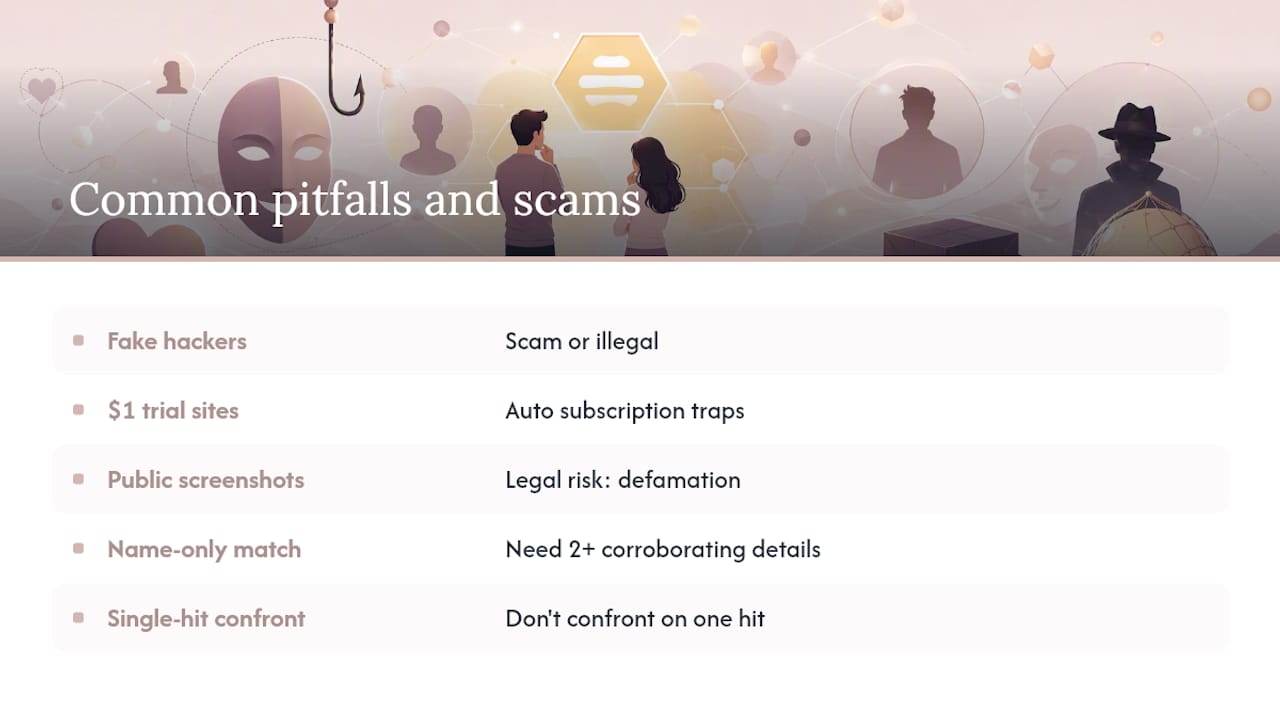
Fake “hacker” services promising phone access. Any site or person claiming they can remotely access someone’s phone, texts, or Bumble account for a fee is either running a scam to take your money or offering a shady service that could land you in trouble too.
Free “reverse search” sites that demand a credit card for a $1 trial. These often auto-enroll you in recurring subscriptions that are difficult to cancel, and the “results” are frequently generic or fabricated.
Screenshots shared in group chats or forums. Posting someone’s dating profile publicly to “expose” them can expose you to defamation or harassment claims, especially if the match turns out to be wrong.
Chasing a name match without other corroborating details. A common name plus a decent-looking photo match can feel conclusive at 1 a.m. It isn’t. Get at least two more matching details before you treat anything as confirmed.
Confronting based on a single unverified hit. Jumping straight to a confrontation over one reverse-image match, without checking activity timestamps or a second identifying detail, risks a painful conversation built on a mistake.
Slow down at each of these moments. The goal is a confident, correct answer, not the fastest possible one.
Ending the Cycle of Doubt With Verified Evidence
Not knowing is its own kind of exhausting. You check his phone screen out of the corner of your eye. You reread her texts for a tone that isn’t there. That mental loop doesn’t resolve itself with more guessing. It resolves with an actual answer.
Cheater Detector AI built its scan process around exactly this moment: many users have used it to get clarity, with strong positive feedback. The process only checks public profiles across major dating platforms. No phone access, no passwords, nothing invasive the way spyware is. You give minimal details, the scan runs, and you get a report back fast.
If you’ve read this far, you already know the DIY route works but takes patience you may not have tonight. Get a discreet scan and stop guessing about what’s really happening.
— Oleg
Cheater Detector AI: The Fastest Way to Check a Bumble Profile
Cheater Detector AI skips the hours of reverse-image searching and phone-number guesswork covered above and gets you a direct answer instead. You provide a name, a photo, or basic details you already have, and the scan cross-references public profiles across Bumble and other major dating apps to see if there’s an active match.
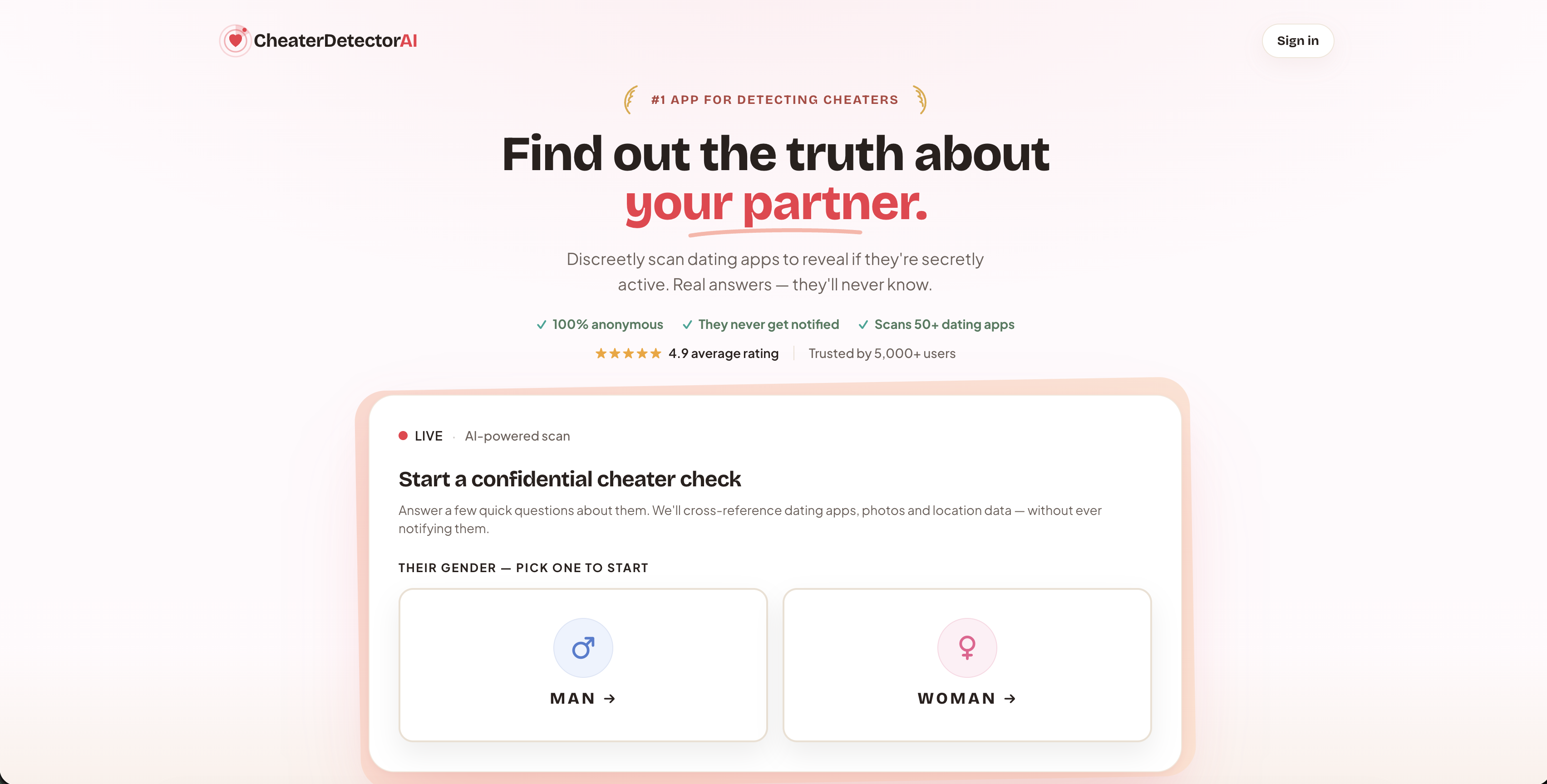
Here’s what you actually get back: matched profile photos, activity timestamps showing how recently the account was active, and a clear report you can review privately. Every part of the process checks public profile information only. There’s no phone access, no message interception, no software installed on anyone’s device. That’s the difference between what Cheater Detector AI does and spyware: it never touches a private device or account.
Starting takes minutes. You submit the minimal details you have, the scan runs, and results come back fast, not days later. Depending on what you need, you can run a single Bumble profile search for a one-time answer, or set up a deep person scan with ongoing monitoring if you want alerts on future activity instead of checking manually every week.
Search their name now. Check their profile today. If you’re done guessing, get a discreet scan and get your answer.
Authoritative Links Used in This Guide
These are the sources behind the claims in this guide, in case you want to check them yourself:
- Can I search for a specific person on Bumble? — Bumble Help Center: Bumble’s own confirmation that no name search exists.
- Using the People tab — Bumble Support: How filters and the People tab actually work.
- Using filters to set your preferences — Bumble Support: Why stacking filters shrinks your visible pool.
- How to Find Someone’s Bumble Profile — ClarityCheck: Reverse image search and linked-account tactics.
- How to Find a Bumble Profile — DatingProfileLookup: Reverse phone and email lookup guidance.
Sources
- Can I search for a specific person on Bumble? — Bumble Help Center
- Using the People tab — Bumble Support
- How to Find Someone’s Bumble Profile — ClarityCheck
- How to Find a Bumble Profile — DatingProfileLookup
FAQ
Can I see if someone is on Bumble without joining?
Not directly. Bumble requires an account to view profiles, so you’d need to create one yourself, or use a service like Cheater Detector AI that checks public profile activity for you without you needing to browse the app.
Can you search Bumble for a specific person?
No. Bumble has confirmed there’s no built-in feature to search for a person by name, so you have to rely on filters, reverse image searches, or a dedicated profile-search service instead.
How do you look at someone’s profile on Bumble?
You can only view profiles that appear in your People tab or Discover feed based on your filters, or through a direct match. There’s no direct-link lookup by username within the app itself.
Can you search someone on Bumble without an account?
You can’t search inside the app without an account, but you can search externally using a photo you already have through reverse image search, or by submitting details to a profile-search service like Cheater Detector AI that checks public listings on your behalf.