%20scale(1.05)%20translate(-12,-14.25)'%3e%3cpath%20d='M12%2021s-7.5-4.7-7.5-10.2A4.3%204.3%200%200%201%2012%207.5a4.3%204.3%200%200%201%207.5%203.3C19.5%2016.3%2012%2021%2012%2021Z'%20fill='%23F0384A'%3e%3c/path%3e%3c/g%3e%3c/svg%3e)
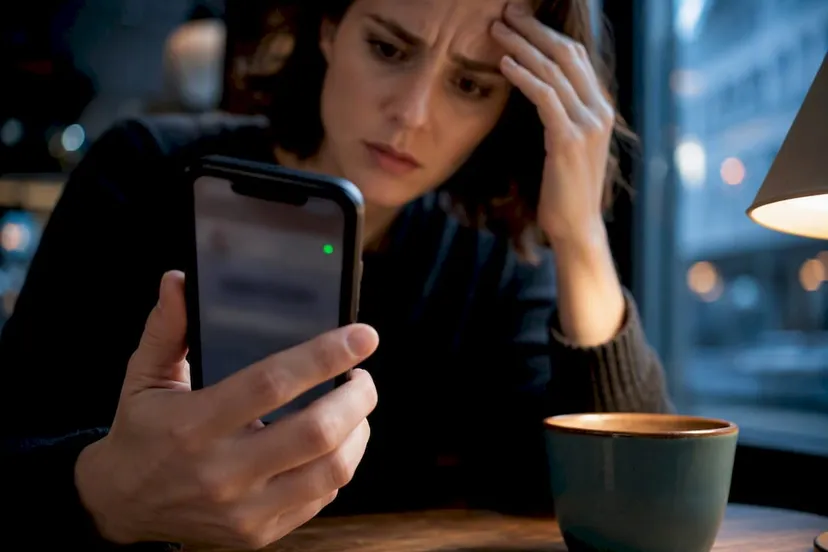
Short answer: OkCupid no longer shows a precise public “last online” timestamp for most users. Your best clue now is the green dot and message timestamps. Anyone can hide that dot in Privacy settings, which also hides everyone else’s dot from them. If you need real proof of activity across dating apps, Cheater Detector AI offers a simple way to check without touching anyone’s phone.
TL;DR:
- The green dot on OkCupid indicates recent app activity but does not confirm actual messaging, browsing, or real-time presence.
- Turning off your online status hides your green dot and also prevents you from seeing others’ activity indicators.
- The app no longer publicly displays precise “last online” timestamps to protect user privacy, replaced by the intermittent green dot.
- Tools attempting to reconstruct login times through third-party scripts are unreliable and may violate OkCupid’s terms of service.
- Checking a partner’s activity through public profile scans is possible with services like Cheater Detector AI, which offers an encrypted, non-intrusive alternative to spyware.
What Does the Green Dot Mean on OkCupid?
You’re staring at a tiny green circle on his profile picture, and your stomach is in knots. Here’s what it actually means: recent activity, not proof of anything specific.
The green dot shows up in a few places: on profile photos, in your search results, and inside chat windows. A bright, solid dot usually means someone opened the app quite recently, often within just a short time. A dot that looks faded or grayed out can mean the activity happened hours ago, though OkCupid doesn’t publish exact timing rules for this.
Community threads and OkCupid’s own statement on X confirm the dot is now the main real-time signal the app gives you. There’s no ticking clock, no “last seen 3 hours ago” label anymore for most accounts.
A few things worth knowing before you read too much into that dot:
- It reflects app activity, not necessarily active swiping or chatting.
- It can appear even when someone briefly opened the app to check a notification.
- It doesn’t tell you who they were talking to or what they were doing.
- It resets based on server pings, which aren’t always instant.
Pro Tip: Don’t stare at the dot for hours waiting for it to change. It updates on its own schedule, and watching it obsessively will only wear you out emotionally.
How to Check If Someone Is Active Right Now
You want answers today, not next week. Here’s how to actually check, step by step, without installing anything shady.
- Open their profile or your chat with them and look for the green dot next to their name or photo.
- Send a short, low-pressure message and watch whether it gets marked as read quickly.
- Check when they last edited their profile photo, bio, or prompts. Recent edits often mean recent logins.
- Remember that mutual visibility rule: if you turned off your own Online Status, you won’t see anyone else’s dot either.
- Use the official OkCupid app or website only. Skip browser extensions, developer console tricks, or third-party scripts that dig for login data.
That last point matters more than people think. Tools like the GreasyFork userscript that tries to reconstruct last login times exist, but they read data the site sends to your browser in ways OkCupid never intended. That can violate the platform’s terms of service, and the results aren’t even reliable half the time.
Pro Tip: Send your message around the same time you notice the dot turn bright green. If they reply within minutes, that’s a much stronger signal than the dot alone.
Why You Can’t See a “Last Online” Timestamp Anymore
If you used to see an exact “last online” time on OkCupid and now you don’t, you’re not imagining it. This changed on purpose.
OkCupid removed detailed last-login information from most profiles, and the company addressed the change directly on X, framing it as a privacy decision. Fewer people means fewer questions if someone’s exact login pattern isn’t visible to strangers or exes scrolling their profile at 2 a.m.
Here’s what the community actually documented:
- Reddit users first noticed and discussed the missing timestamp in a thread titled “Can’t see last login anymore”, where people compared notes on what changed and when.
- A separate test called “Activity Reports” briefly appeared for some users, showing a relative “Last Active” window showing activity within a two-week period before switching to a more general label indicating longer inactivity, according to another Reddit thread tracking the rollout.
- That Activity Reports feature never rolled out evenly. Some accounts saw it, others never did, and reports of it disappearing again followed shortly after.
- Userscripts attempting to bring back the old timestamp behavior carry real risk, since they rely on data OkCupid may stop sending at any time.
None of this is a bug you can fix. It’s a design choice, and it’s the same reason similar apps have quietly cut back on activity details in recent years.
How to Turn Off Your Own Online Status on OkCupid
Maybe you’re not the one worried right now. Maybe you just want to browse quietly without your partner, an ex, or a coworker seeing your green dot pop up. That’s fair, and OkCupid gives you a direct way to do it.
- Open your profile and go to Profile Settings.
- Tap into Privacy.
- Find the Online Status toggle and switch it to Invisible.
That’s the whole process. No confusing menus, no hidden settings buried three screens deep.
Here’s the trade-off nobody tells you upfront: turning your status invisible doesn’t just hide your dot from others. It also hides everyone else’s dot from you. You lose visibility in both directions. Some people use this mode simply to browse without feeling watched, especially after a bad match or an awkward conversation they’d rather forget. Others use it because they’re testing the waters on the app and don’t want their status broadcasting activity to someone specific who might be checking.
If your partner has this toggled on, that alone doesn’t prove anything shady. It just means you won’t see a dot either way, which is exactly why the dot alone can never be your only piece of evidence.
Why the Green Dot Can Mislead You
Here’s where a lot of people get hurt twice: once by the suspicion, and again by chasing a signal that isn’t as reliable as it looks.
The dot can lag. Someone might close the app and still show as active for a while because the server hasn’t caught up yet. A breakdown of how the green dot behaves points out that background processes, delayed pings, and multiple devices logged into one account can all keep that dot lit up long after someone actually left.
Watch out for these common false signals:
- A phone left open in the background can keep the app “active” without anyone actually looking at it.
- Logging in on a second device, like a tablet, can trigger the dot even if the phone is untouched.
- Server delays mean the dot sometimes takes minutes to catch up to reality.
- A green dot never tells you who someone messaged, what they said, or whether they’re even interested in anyone.
Pro Tip: Treat the dot as a clue, not a verdict. One green dot at a strange hour doesn’t prove infidelity. A pattern over days, combined with other changes in behavior, tells you a lot more.
Don’t confront your partner off a single glowing dot. That’s a fast way to start a fight over something that might mean nothing, and it can also tip someone off before you have real answers.
A Simple Way to Check Activity Across Dating Apps
You want proof, not guesswork. That’s exactly why Cheater Detector AI exists.
Here’s the plain truth first: spyware, hidden tracking apps, and reading someone’s private messages without permission are illegal in most places, and getting caught doing it can get you prosecuted, not just them. Installing anything on your partner’s phone without consent crosses that line fast, no matter how justified it feels in the moment.
Cheater Detector AI works differently. It scans public profiles across major dating apps, including OkCupid, using only basic information you already have, like a name or a photo. There’s no phone access involved. There’s no app installed on anyone’s device. It only looks at what’s already visible to the public on dating platforms.
Here’s what a scan typically returns:
- Photo-verified matches, so you’re not left guessing if a profile actually belongs to your partner.
- Activity timestamps tied to those public profiles.
- An encrypted, anonymous report, so nobody but you ever sees the results.
Cheater Detector AI’s own breakdown of how “last active” behaves across matching apps walks through why these indicators vary so much from platform to platform, and why a single green dot rarely tells the whole story on its own.
The service has been used by thousands of people and holds a high average rating, which matters when you’re handing over something as personal as your suspicions and a photo of the person you love. You don’t need to notify your partner. You don’t need technical skills. You just need a name or a picture to start.
What I’d Tell You Right Now
You’re not overreacting by noticing that dot. Something feels off, and your gut is asking questions your partner’s answers haven’t settled.
Start small: check the dot, watch message timestamps, and pay attention to timing patterns over several days before assuming anything. If you truly need solid proof, a scan through a service like Cheater Detector AI beats guessing at pixels on a screen. Never install spyware or read private messages without permission. It can turn you into the one in trouble. If you ever feel unsafe in your relationship, reach out to someone you trust or a local support service before doing anything else.
— Oleg
Search Their Name on OkCupid Before You Lose Another Night of Sleep
Cheater Detector AI is the simple alternative to installing spyware or digging through someone’s phone. It scans public dating profiles across every major app, including OkCupid, and hands you photo-verified matches and activity timestamps, all without ever touching your partner’s device.

You give us minimal information, a name or a photo, and we cross-reference it against public profiles anonymously. No account creation. No swiping through hundreds of strangers yourself. No notification ever reaches your partner.
Search their name now with the OkCupid Profile Search and see if their profile shows up where it shouldn’t.
Check their profile today using Partner Check if you want a quick answer on whether they’re active on dating apps at all.
Get a full Deep Person Scan through our Deep Person Scan service if you want the most complete cross-platform report available, covering multiple apps in one pass.
Every scan stays private and encrypted. You deserve a straight answer, not another sleepless night guessing at a green dot.
Sources
- Can’t see last login anymore : r/OkCupid
- okcupid X post
- OkCupid View Last Login On Profile - GreasyFork
FAQ
Can You Turn Off Online Status on OkCupid?
Yes. Go to Profile Settings, then Privacy, then switch Online Status to Invisible. This hides your green dot from others but also hides their dots from you.
Is Anyone Still Using OkCupid?
Yes, OkCupid remains an active dating platform with ongoing profile activity, messaging, and regular product updates like the Activity Reports test some users saw.
What Does the Green Dot on OkCupid Mean?
The green dot signals recent app activity, shown on profile photos, in search results, and in chat windows. It doesn’t guarantee someone is actively using the app at that exact second.
What Happened With OkCupid Removing Last Online?
OkCupid removed the detailed public “last online” timestamp for privacy reasons, confirmed in its own post on X, leaving the green dot as the main activity indicator.
Is It OK to Track My Partner’s OkCupid Activity With Spyware?
No. Installing spyware or tracking apps on someone’s phone without consent is illegal and can lead to criminal charges against you, not just against them.