%20scale(1.05)%20translate(-12,-14.25)'%3e%3cpath%20d='M12%2021s-7.5-4.7-7.5-10.2A4.3%204.3%200%200%201%2012%207.5a4.3%204.3%200%200%201%207.5%203.3C19.5%2016.3%2012%2021%2012%2021Z'%20fill='%23F0384A'%3e%3c/path%3e%3c/g%3e%3c/svg%3e)
Staring at his Tinder distance, wondering if it proves where she really was last night? Short answer: no. Tinder location accuracy is not the same as live proof of presence. The distance you see is often approximate, sometimes hours or days old, and built from cached data, not a real-time tracker.
That number can mean a lot of things. Here’s what it means for you right now:
- Don’t assume presence. A far-away or nearby distance doesn’t confirm where your partner is at this exact moment.
- Confirm logistics calmly. Ask direct questions about plans before you jump to conclusions based on an app number.
- Skip the spy tactics. Trying to track your partner through hacked accounts or hidden apps is not a shortcut to the truth.
Skip the spyware, phone tracking apps, and reading someone’s private messages without consent. They tend to make things worse, not clearer. There’s a better way to get real answers, and we’ll walk through it below.
Key Takeaways
Tinder distance reflects cached or approximate location data, not real-time proof of where your partner is right now.
| Point | Details |
|---|---|
| Verdict | Tinder location accuracy is approximate at best, often based on cached data from the last time the app was opened. |
| Top cause of error | Last-known location and permission settings explain most confusing distance changes, not deception. |
| Phone snooping | Skip spyware, phone hacking, and unauthorized tracking; they can backfire badly on you. |
| Better next step | Use a public-profile scan instead of touching their phone to get a real answer. |
If a Tinder distance has you spiraling, check their profile today through an anonymous scan, and skip anything that requires touching their phone. Meet new people in public, keep your own information private, and never let a suspicion push you into a decision you’ll regret.
How Accurate Is Tinder’s Location, Really?
Tinder location accuracy comes down to one thing: your phone’s GPS signal and how recently the app checked it. When your partner opens Tinder, the app grabs the phone’s current GPS coordinates and sends them to Tinder’s servers. That’s the “live” version of location.
But most of the time, you’re not seeing live data. You’re seeing whatever coordinates Tinder captured the last time the app was open and active. If your partner opened Tinder in one city and then traveled somewhere else without reopening the app, Tinder can keep showing that first city for hours, even days.
Phone permission settings change everything here. On both iPhones and Android phones, there’s a difference between “While Using the App” and “Always Allow” location access. With “While Using,” location only updates when Tinder is actually open. With “Always,” the phone can send location updates in the background, even when Tinder is closed, though this depends on the phone’s settings and battery-saving features working normally, as testing on device permission behavior confirms.
So picture this: your partner opens Tinder in City A on Monday morning, then flies to City B for a work trip and never reopens the app. Anyone swiping near City B still sees them listed as being in City A. That’s not deception. That’s just how the app works.
Pro Tip: If a distance seems frozen for days, that’s usually a sign the app hasn’t been reopened, not proof your partner hasn’t moved.
Why Do Tinder Distances Seem Off?
A wrong-looking distance rarely means something sinister. Here are the most common reasons Tinder location accuracy gets thrown off, in order of how often they show up.
- Cached or last-known location. Tinder doesn’t refresh location the moment someone closes the app. If your partner hasn’t opened Tinder in a while, the app is still showing wherever they last were, according to reporting on Tinder’s distance behavior.
- Tinder Passport or manually set location. This paid feature lets someone deliberately set their profile to show a different city, which throws off any distance comparison entirely.
- VPN or IP-based location. Some location signals lean on network data instead of GPS. A VPN can make a phone appear to be in a completely different city or country.
- Precise vs. imprecise location settings. Newer phone operating systems let people share only an approximate area instead of an exact point, which widens the margin of error significantly.
- GPS or cell-tower errors. Dense buildings, bad weather, or a weak signal can throw GPS readings off by a mile or more, especially in urban areas.
- App or network sync delays. Sometimes the phone has the right location, but Tinder’s servers haven’t caught up yet because of a slow connection or app bug.
These six causes explain almost every “why does this look wrong” moment. They’re permission settings and technical quirks, not evidence of anything else.
Can Someone Fake Their Tinder Location?
Yes, and there are two very different ways it happens. One is official. One is not.
Tinder Passport is a built-in, paid feature that lets a user manually drop a pin anywhere in the world and browse or appear in that area, no travel required. It’s marketed for people planning trips or long-distance dating, and it’s completely within Tinder’s rules.
Then there are unofficial methods:
- Mock GPS apps trick a phone into reporting a fake location to every app installed, including Tinder.
- VPN services reroute internet traffic through another location, which can shift IP-based location signals even without touching GPS settings directly.
Both unofficial methods have limits. Mock GPS apps often require special phone settings (like enabling developer mode on Android) that most casual users never touch. VPNs affect IP-based signals but don’t always fool GPS-based apps completely, so results can be inconsistent or glitchy.
If you’re trying to size up whether a profile looks staged, watch for these signs instead of relying on the distance alone:
- Timestamps on photos or bios that don’t match claimed travel dates.
- Bio mentions of “just visiting” or “traveling” that never seem to end.
- A location that jumps around in a pattern that doesn’t match normal travel.
- Activity that happens at odd local hours for the city they claim to be in.
When Does Tinder Actually Update Location?
Tinder location accuracy depends heavily on timing, and the update pattern is more limited than most people assume.
- Location typically updates when the app is opened and actively used, not continuously in the background.
- If “Always Allow” location permission is granted, some background updates can happen, but this varies by phone model and battery settings.
- Server-side caching means Tinder often stores and displays the last location it received rather than pinging your partner’s phone in real time, a behavior Tinder’s own help center acknowledges when it comes to profiles appearing “far away.”
- Simple fixes like toggling precise location, clearing the app’s cache, or briefly switching to airplane mode can force a fresh GPS read, according to common troubleshooting guidance.
Pro Tip: Check the “recently active” indicator on a profile before you draw conclusions from distance alone. Active status tells you when someone last opened the app; distance tells you almost nothing about when.
What Does the Distance Number Actually Prove?
Here are three rules worth keeping in your back pocket whenever a Tinder distance makes your stomach drop.
Rule one: treat the number as approximate, not exact. It’s a snapshot, not a tracking pin.
Rule two: confirm logistics through conversation, not surveillance. If something feels off, ask.
Rule three: prioritize “recently active” status over raw distance. It tells you far more about actual app usage.
Third-party testing suggests Tinder distance is usually accurate to within about a mile when precise location is turned on and the app has a fresh GPS signal. But “usually” is doing a lot of work in that sentence, because so many variables can throw it off.
| Scenario | Typical Accuracy |
|---|---|
| Fresh GPS ping, precise location on | Within about 1 mile |
| App hasn’t been reopened recently | Reflects last-known location, age unknown |
| Historical API exposure (pre-fix) | Precise enough to triangulate within about 100 feet |
Also worth knowing: Tinder’s distance is a straight line between two points, calculated with basic geographic math like the haversine formula, not driving distance or travel time. Ten miles on Tinder could mean a twenty-minute drive or an hour in traffic depending on roads and geography.
If you want a low-pressure way to bring it up, try something like: “Hey, I noticed your Tinder still says you’re near downtown, are you still traveling for work?” That’s a logistics question, not an accusation, and it opens a conversation instead of a fight.
Why Tinder Doesn’t Show Your Exact Location
There’s a real history behind why Tinder location accuracy is intentionally fuzzy, and it’s worth knowing before you assume the app is hiding something from you specifically.
Back in 2014, a security researcher demonstrated that Tinder’s app programming interface was returning precise distance calculations down to the decimal point. By taking multiple readings from different fake positions, the researcher showed it was possible to triangulate a user’s exact location to within about 100 feet. Around the same time, reporting from Quartz documented how exposed that data really was and the privacy backlash that followed.
Academic reviews backed this up. A Tufts University security analysis recommended Tinder reduce the precision of distance data and move proximity calculations to its own servers instead of exposing raw coordinates through the app. That’s largely what happened, and it’s why today’s distance numbers are rounded and approximate rather than laser precise.
The safety implications cut both ways:
- Never share your exact meetup address with a match before you’ve verified who they are.
- Always meet new people in public places, not your home or theirs.
- Limit what your own profile reveals about your daily routine, gym schedule, or neighborhood.
Coarser data protects everyone, including you, from someone using the same tricks that got exposed back in 2014.
What You Must Never Do If You Suspect Cheating
Here’s the part that matters most: installing spyware, hacking into someone’s phone, or tracking their location without consent is illegal in most states. It also tends to make a hard situation worse.
Steer clear of all of these:
- Installing stalkerware or hidden tracking apps on your partner’s phone.
- Breaking into their phone using a guessed or stolen passcode.
- Using leaked or hacked login credentials to access their accounts.
- Placing a secret GPS tracker on their car or belongings without consent.
If safety is a real concern, not just suspicion, involve a trusted friend, contact local authorities, or reach out to a domestic-violence resource for guidance. Spying isn’t a safety plan, and it usually backfires. For more on where the line actually sits, this breakdown of snooping laws for worried partners covers it in plain terms.
What You Can Do to Check Their Activity
You don’t need spyware to get clarity. You need a method that doesn’t require touching their phone.
Here’s a checklist to work through first:
- Review any public profile information you can already see, screenshots, mutual friends, shared social accounts.
- Look for duplicate or suspicious profiles that don’t match what your partner has told you.
- Pay attention to match timestamps and activity patterns instead of guessing from distance alone.
- Ask direct, calm questions about their whereabouts and plans instead of building a case in silence.
- Use a public-profile scanning service instead of ever touching their phone.
That last step is where CheaterDetectorAI comes in. CheaterDetectorAI scans public profiles across major dating apps using only minimal information you provide, like a name or a photo, and cross-references it against active accounts. No phone access. No hacking. No installing anything on their device. Every scan is encrypted and anonymous, so your partner never finds out you checked, and you never have to touch their phone to get an answer.
Search their name now through a deep person scan and see exactly what’s public, including profile photos and activity timestamps. Check their profile today if a Tinder distance has had you second-guessing for weeks, because guessing doesn’t get you closer to the truth. Run a discreet scan through our anonymous dating app check instead of installing anything risky on a phone that isn’t yours.
Pro Tip: Run the scan before you say anything to your partner. It’s faster than waiting, and it doesn’t require a single uncomfortable question.
Common Distance Myths, Corrected
A lot of bad conclusions come from good people misreading a simple number. Here’s where the thinking usually goes wrong.
- Myth: “The distance changed, so they moved recently.” Correction: a change usually means they reopened the app, not that they physically traveled at that exact moment.
- Myth: “The distance stayed the same, so they’re lying about traveling.” Correction: a frozen number usually means they haven’t opened Tinder, which tells you nothing about their actual location.
- Myth: “A short distance means they’re nearby right now.” Correction: it means their phone reported that location at some point, which could have been hours ago.
Take a common bad inference: “His distance says two miles, so he must be lying about being at the office across town.” A better approach is checking whether he’s opened the app recently at all, and if the number still bothers you, running a public-profile scan instead of stewing over a maybe.
The Honest Take on Chasing a Distance Number
Most advice about Tinder location accuracy treats it like a math problem: learn the permissions, understand the caching, and you’ll crack the code. That misses the real issue. The number was never built to answer the question people are actually asking, which is “where were you, really?”
Conventional wisdom tells you to become an amateur detective, checking distance patterns, timestamps, and Wi-Fi quirks like it’s a puzzle to solve. That approach burns weeks of anxiety chasing a data point that was designed to be fuzzy on purpose, largely because of the exact privacy failures researchers exposed back in 2014. You’re trying to extract certainty from a system engineered to avoid giving anyone that certainty.
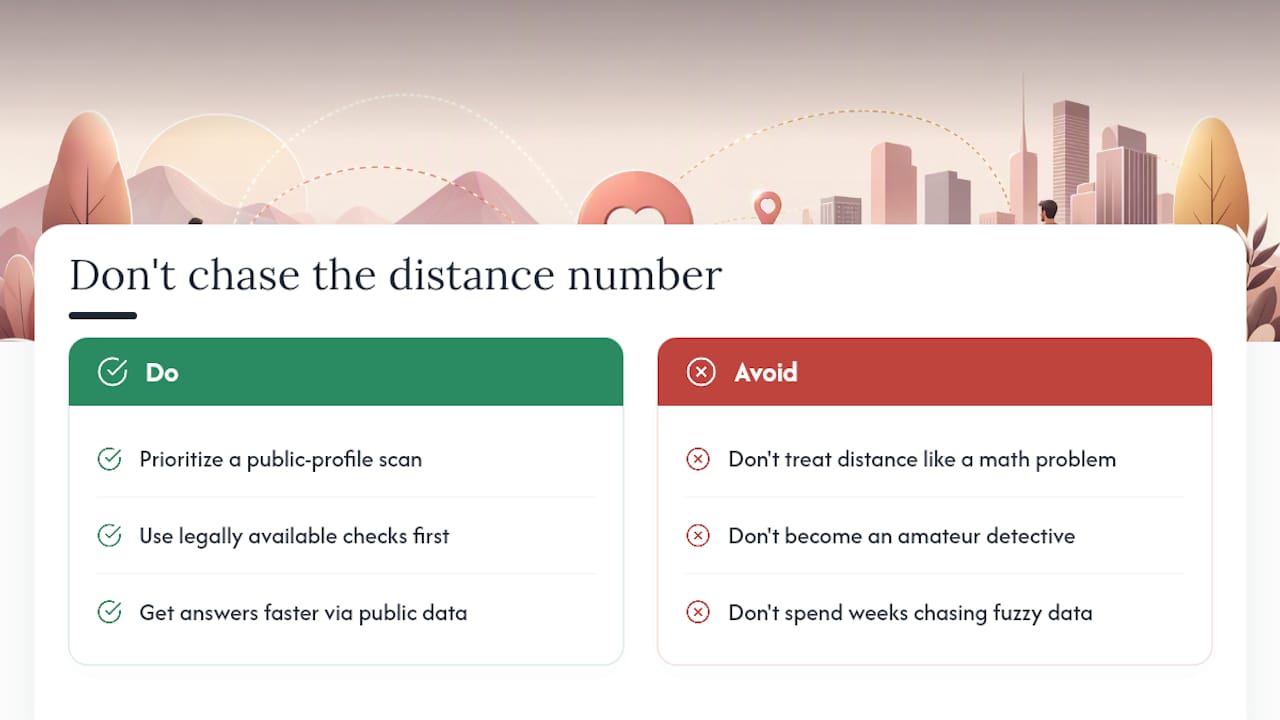
What actually matters is this: if you’re suspicious enough to be reading an article about GPS accuracy on a dating app, the distance number was never going to be what settles it for you. A public-profile scan gets you an actual answer in far less time than it takes to become an expert in phone permission settings. Prioritize that over becoming fluent in location caching behavior you’ll forget about the moment you get your answer.
Sources
- Tinder Distance Setting Not Accurate — Here’s Why
- The Security of Tinder (Tufts University research paper)
- The profiles I see are far away — Tinder Help Center
FAQ
Does Tinder update location even if you don’t open it?
Usually not. Location typically updates when the app is actively open, though background updates can occur if “Always Allow” location permission is granted on the phone.
How accurate is Tinder’s location feature?
When precise location is enabled and the app has a fresh GPS signal, distance is often accurate to within about a mile, but cached or last-known locations can throw that off significantly.
What is the 3-3-3 rule on Tinder?
Definitions of the “3-3-3 rule” vary across dating advice sources and aren’t tied to any official Tinder location feature, so treat any specific version of this rule with caution.
Can location on Tinder be wrong?
Yes. Cached data, Passport settings, VPN use, and GPS or network errors can all make a Tinder distance look inaccurate even when nothing suspicious is happening.